
Traduis tes fichiers MadCap Flare sans copier-coller

Génère le fichier XLIFF 1.2 de ton projet Flare avec MadCap Lingo. Importe-le dans Redokun. Tes traducteurs travaillent dans un Web Editor partagé pour toutes les langues cibles, sans copier-coller dans Word ni tableur de terminologie séparé à synchroniser.
Dès que tu commenceras, tu te demanderas comment tu as pu gérer tes traductions de documents techniques sans Redokun.
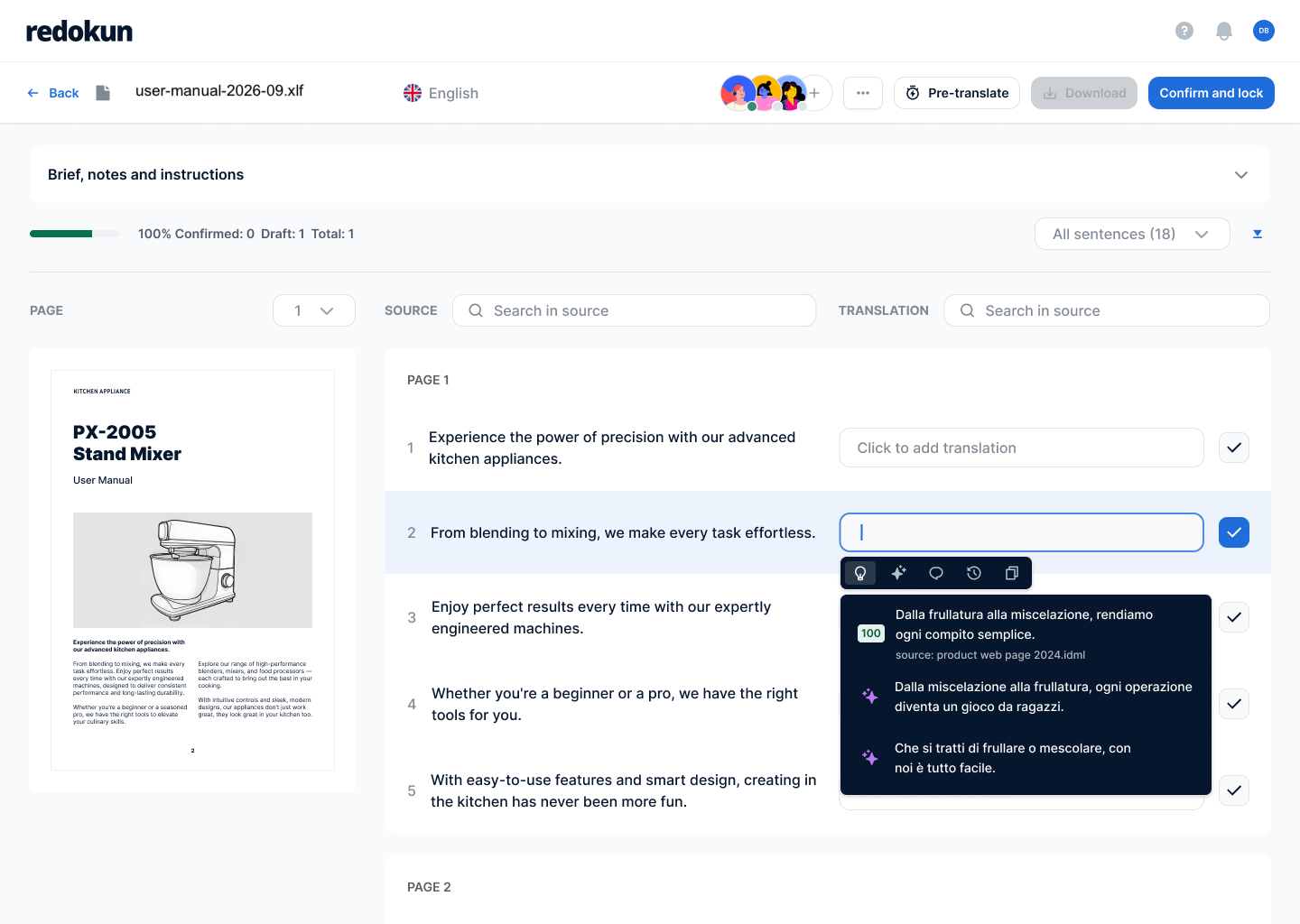


Tu utilises MadCap Flare et Lingo. Mais tes projets de traduction ont besoin d'un espace de travail partagé.

MadCap Flare crée tes documents techniques. Mais tes fiches produits, manuels et documents de conformité doivent souvent être publiés dans 8 langues ou plus.

MadCap Lingo
t’aide à générer le fichier XLIFF 1.2 pour traduire tes projets Flare. Mais il n’offre pas d’espace de travail partagé.

La personne qui gère la traduction
a besoin d’un espace centralisé pour coordonner tous les projets de traduction. C’est là que les traducteurs collaborent directement, au lieu de travailler sur des fichiers séparés.
Comment ça fonctionne
Le même format XLIFF 1.2 que ton projet génère déjà — il ne s'agit pas d'un plugin Flare dédié, mais de la prise en charge du format que Flare exporte nativement.

Aucune étape de conversion, aucun copier-coller dans Word au préalable.

La mémoire de traduction suggère des correspondances avec les traductions précédentes. Ton glossaire signale les termes à traduire avec précision.

Une fois les traductions terminées, téléchargez le fichier XLIFF depuis Redokun.
Publie les documents traduits.

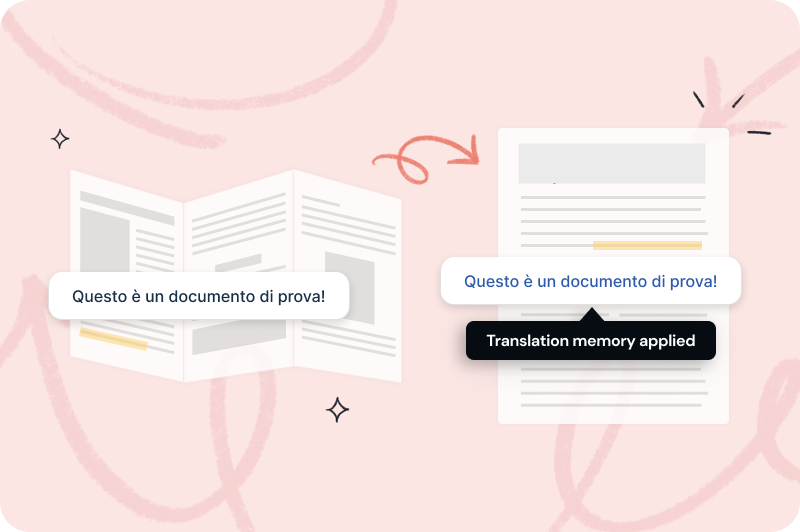
Réutilise automatiquement les traductions déjà approuvées
- Constitue une base de données de tes traductions approuvées et réutilise-les automatiquement pour réduire le volume global de traduction et garantir la cohérence de tous tes documents.
Utilise les termes traduits et approuvés, à chaque fois
- Noms de produits, références et termes techniques — les mêmes mots, utilisés de la même manière, dans chaque manuel, fiche technique et langue. Personne n'a besoin de se souvenir du terme choisi par le précédent traducteur il y a trois révisions.

Mets à jour tes documents en quelques minutes, dans toutes les langues
- Chaque mise à jour produit entraîne des révisions de manuels et de fiches techniques. La fonction Révisions rapides identifie uniquement les segments modifiés depuis la dernière traduction — tes traducteurs relisent les nouveautés, pas l'intégralité du document. Un manuel révisé dans 8 langues ne signifie pas repartir de zéro dans aucune d'entre elles.


%20(1).png)

Deux façons de commencer dès maintenant, selon tes besoins.
Pas d'abonnement. Les 30 jours commencent à la date de ton achat.
Pour un projet avec une vraie date limite. Parfait si tu traduis seulement quelques fois par an.
Pour les équipes qui traduisent tous les mois dans plusieurs langues et types de documents.
Ajoute des places quand tu veux
Pour les équipes qui traduisent en gros volume pour plein de marchés, ou qui connectent Redokun à leurs propres systèmes.
Ajoute des places quand tu veux
Gratuit pendant 14 jours.
Teste l’abonnement Basic gratuitement pendant 14 jours, avec 20 000 mots exportables et sans carte bancaire.
Pas d'abonnement. Les 30 jours commencent à la date de ton achat.
Pour un projet avec une vraie date limite. Parfait si tu traduis seulement quelques fois par an.
Pour les équipes qui traduisent tous les mois dans plusieurs langues et types de documents.
Ajoute des places quand tu veux
Pour les équipes qui traduisent en gros volume pour plein de marchés, ou qui connectent Redokun à leurs propres systèmes.
Ajoute des places quand tu veux
Gratuit pendant 14 jours.
Teste l’abonnement Basic gratuitement pendant 14 jours, avec 20 000 mots exportables et sans carte bancaire.
FAQs


Non. Redokun n'a pas de plugin ni d'intégration dédiés à Flare. Il accepte le fichier XLIFF 1.2 que ton projet Flare exporte déjà, un format utilisé par de nombreux outils de traduction.
Télécharge-le depuis Redokun, puis réimporte-le dans ton projet Lingo. Lingo exporte ensuite le projet Flare finalisé dans la langue cible, prêt à être publié. Redokun ne remplace pas cette dernière étape : c'est l'espace où s'effectue la traduction.
Bien sûr ! L’essai gratuit de Redokun est un excellent moyen de découvrir à quel point tu peux terminer tes projets de traduction rapidement. Aucune carte bancaire n’est requise.
L’essai gratuit est basé sur notre plan Basic et te donne accès pendant 14 jours.
Tu peux importer un fichier jusqu’à 100 Mo, contenant jusqu’à 20 000 mots.
Nous prenons en charge divers types de fichiers, notamment InDesign (.idml), Microsoft Office (Word, Excel, PowerPoint), HTML, SRT, JSON, XLIFF 1.2 et plus. Tu peux consulter la liste complète des formats pris en charge ici.
Une fois que tu commences à traduire ton fichier test et que tu vois comment ça marche, si tu souhaites continuer et terminer ton projet de traduction, tu peux simplement acheter un de nos plans pour continuer à traduire.
En plus du XLIFF 1.2, Redokun prend aussi en charge InDesign (.idml), Word, PowerPoint, Excel, XML, JSON, HTML, SRT et les fichiers texte brut. Tu peux aussi utiliser l’outil avec les autres membres de ton équipe pour leurs besoins de traduction.