
Sauvegarde et réutilise tes traductions précédentes - en un seul clic

Importe ton fichier, traduis le texte dans ton navigateur et télécharge un fichier InDesign finalisé avec toutes les polices, styles et mises en page intacts.
Dès que tu commenceras, tu te demanderas comment tu as pu gérer tes traductions InDesign sans Redokun.
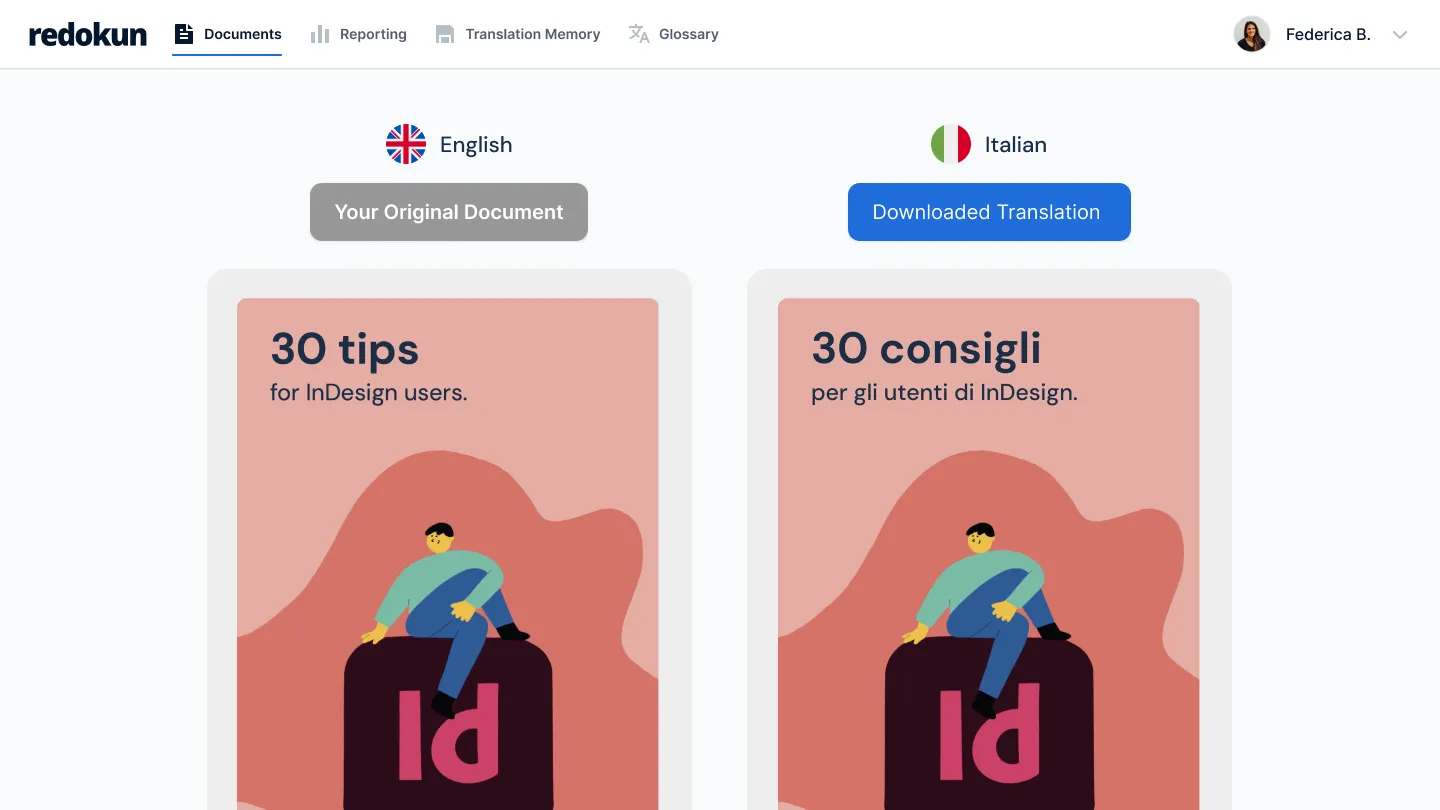


Traduire des fichiers InDesign manuellement, c’est pénible

Extraire chaque ligne de texte à la main, l’envoyer, puis les designers doivent reconstruire toute la mise en page une fois la traduction revenue.

Chaque passage ajoute des jours, parfois des semaines, avant que tes manuels, brochures et guides soient prêts pour un autre marché.

Et chaque copier-coller manuel est une occasion supplémentaire pour qu’une faute de frappe se glisse.
Comment ça fonctionne


Retrouve ta mise en page exactement comme tu l'as créée
- Importe ton fichier InDesign et Redokun en extrait le texte pour toi.
- Plus besoin de coller le texte. Plus de pages à reconstruire à la main.
- Une fois la traduction terminée, vous télécharge un nouveau fichier InDesign avec les mêmes polices, styles et mise en page déjà en place.

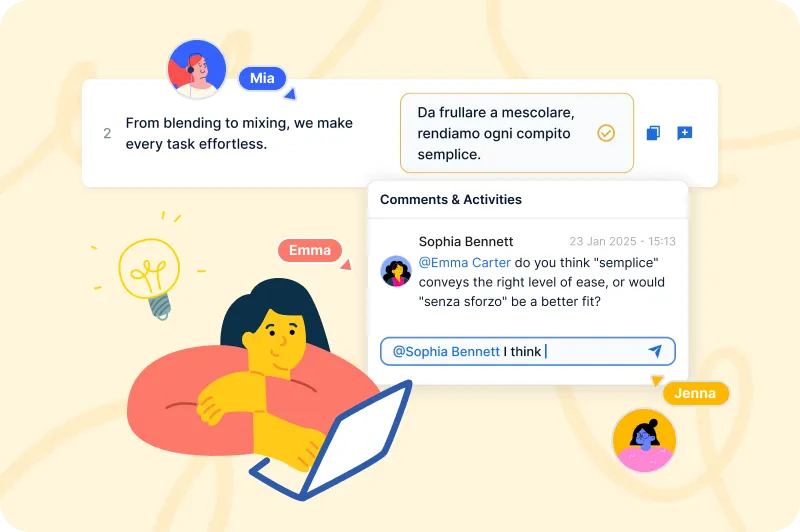
Tes traducteurs travaillent simultanément dans leur navigateur
- Invite tes traducteurs directement dans le Web Editor.
- Plusieurs personnes peuvent travailler sur le même fichier en même temps : fini les envois de documents par e-mail et l'attente qu'une personne termine avant que la suivante puisse commencer.
- Tu suis la progression de chaque langue au même endroit.
Modifie une ligne, pas tout le fichier IDML
- Lorsque tu mets à jour un document, Redokun ne demande à tes traducteurs que les phrases qui ont changé.
- Tout ce qui est déjà traduit reste en place, dans les 10, 20 ou 30 langues.
- Un glossaire enregistré garantit la cohérence de tes termes d'un projet à l'autre.

Traduire des fichiers InDesign avec Redokun, c’est simple — vois par toi-même


%20(1).png)

Deux façons de commencer dès maintenant, selon tes besoins.
Pas d'abonnement. Les 30 jours commencent à la date de ton achat.
Pour un projet avec une vraie date limite. Parfait si tu traduis seulement quelques fois par an.
Pour les équipes qui traduisent tous les mois dans plusieurs langues et types de documents.
Ajoute des places quand tu veux
Pour les équipes qui traduisent en gros volume pour plein de marchés, ou qui connectent Redokun à leurs propres systèmes.
Ajoute des places quand tu veux
Gratuit pendant 14 jours.
Teste l’abonnement Basic gratuitement pendant 14 jours, avec 20 000 mots exportables et sans carte bancaire.
Pas d'abonnement. Les 30 jours commencent à la date de ton achat.
Pour un projet avec une vraie date limite. Parfait si tu traduis seulement quelques fois par an.
Pour les équipes qui traduisent tous les mois dans plusieurs langues et types de documents.
Ajoute des places quand tu veux
Pour les équipes qui traduisent en gros volume pour plein de marchés, ou qui connectent Redokun à leurs propres systèmes.
Ajoute des places quand tu veux
Gratuit pendant 14 jours.
Teste l’abonnement Basic gratuitement pendant 14 jours, avec 20 000 mots exportables et sans carte bancaire.
FAQs


Tu retrouves la mise en page exactement comme tu l'avais laissée : polices, styles, mise en forme et design restent intacts. Redokun extrait le texte de ton fichier InDesign, permet à tes traducteurs de travailler sur le contenu dans l'Éditeur Web, puis reconstitue le fichier traduit au format InDesign à l'export. Tu obtiens un document InDesign finalisé, prêt à utiliser, sans avoir à refaire la mise en forme manuellement. Il en va de même pour Word, PowerPoint et tous les autres formats pris en charge.
Si tu travailles avec de nombreux fichiers InDesign, il est aussi utile de savoir comment créer des documents en pensant à leur traduction. N'hésite pas à partager ces bonnes pratiques et conseils avec ton équipe de design !
DeepL traduit du texte. Redokun traduit des documents et te fournit un fichier finalisé, exactement dans le même format que l'original. Avec DeepL seul, tu colles du texte, récupères sa traduction et passes des heures à remettre le résultat en forme dans ton fichier InDesign ou Word.
Avec Redokun, tu importes le fichier, génères une première traduction avec DeepL, ChatGPT ou Google Translate dans l'Éditeur Web de Redokun, la fais relire en ligne par tes traducteurs, puis exportes un document finalisé dont la mise en page est conservée, prêt à être envoyé.
Redokun assure aussi une terminologie cohérente dans tous les projets, réutilise automatiquement les traductions approuvées et te donne une visibilité complète sur l'avancement. Un moteur de traduction utilisé seul n'offre aucune de ces fonctionnalités.
Bien sûr ! L’essai gratuit de Redokun te permet de découvrir à quelle vitesse tu peux mener à bien tes projets de traduction. Aucune carte bancaire n’est requise.
L’essai gratuit est basé sur notre plan Basic et te donne accès à Redokun pendant 14 jours.
Tu peux uploader un fichier de 100 Mo maximum, contenant jusqu’à 20 000 mots.
Nous prenons en charge plusieurs formats de fichiers, dont InDesign (.idml), Microsoft Office (Word, Excel, PowerPoint), HTML, SRT, JSON, XLIFF 1.2 et bien d’autres. Tu peux consulter la liste complète des formats pris en charge ici.
Une fois que tu as commencé à traduire ton fichier de test et découvert le fonctionnement de Redokun, tu peux simplement acheter l’une de nos formules si tu souhaites poursuivre et terminer ton projet de traduction.
Le Project Pass est conçu pour les projets de traduction ponctuels ou occasionnels. Il te donne accès au workflow de traduction principal de Redokun pendant 30 jours, avec un modèle tarifaire simple à l’usage.
Les formules d’abonnement Redokun (Workspace) conviennent davantage aux équipes qui ont des besoins de traduction continus ou récurrents et souhaitent créer un workflow de traduction évolutif. Elles comprennent des fonctionnalités avancées comme la mémoire de traduction, le peaufinage par l’IA, le suivi des activités et un accès à long terme à l’espace de travail. Si tu as seulement besoin de traduire un document une fois ou si tu n’as pas besoin de réutiliser tes ressources à long terme, le Project Pass te permet de mener rapidement ton projet à bien sans t’engager dans un abonnement.