AI assistants translate a file once. Redokun keeps every language right.
ChatGPT, Claude and Microsoft Copilot can take a file and give you back a translated one. Redokun is built for what comes next: the same terms in every file, translators reviewing in one place, and updates that only touch what changed.
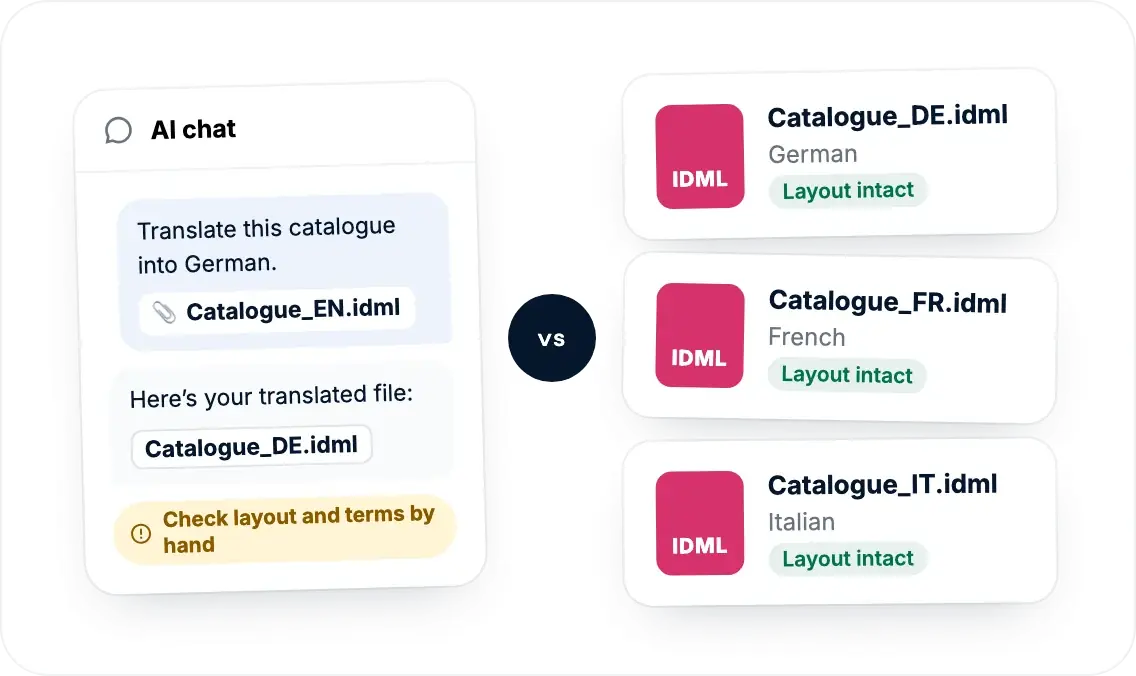


ChatGPT, Claude and Copilot are great for one file. Teams publishing in every language need more.

Designed layouts need checking.
They can return Word or PowerPoint files, but complex layouts can shift or break. Someone checks every page.

Approved work isn’t kept for the team.
A chat doesn’t keep a shared translation memory and glossary, so approved translations and terms don’t reliably reach the next file or the next colleague.

No place for your translators.
In a chat, distributors and reviewers can’t check, comment and approve each translation in one shared document.

Updates mean starting over.
Change a paragraph and someone has to find what changed, run it through the chat again and check it again, in every language.
Redokun can use ChatGPT for the first draft too.
The difference is what happens around it.

A chat answers one request at a time. Redokun builds up.
ChatGPT, Claude and Copilot only know your company’s terms and approved translations if someone gives them. Redokun keeps what your team approves, so each translation sounds more like you.
- Past translations reused: approved sentences come back whenever they appear in a new file.
- Glossary in every draft: not only when someone remembers to paste it in.
- Builds on your team’s work: every approved sentence is saved and reused in the next draft.
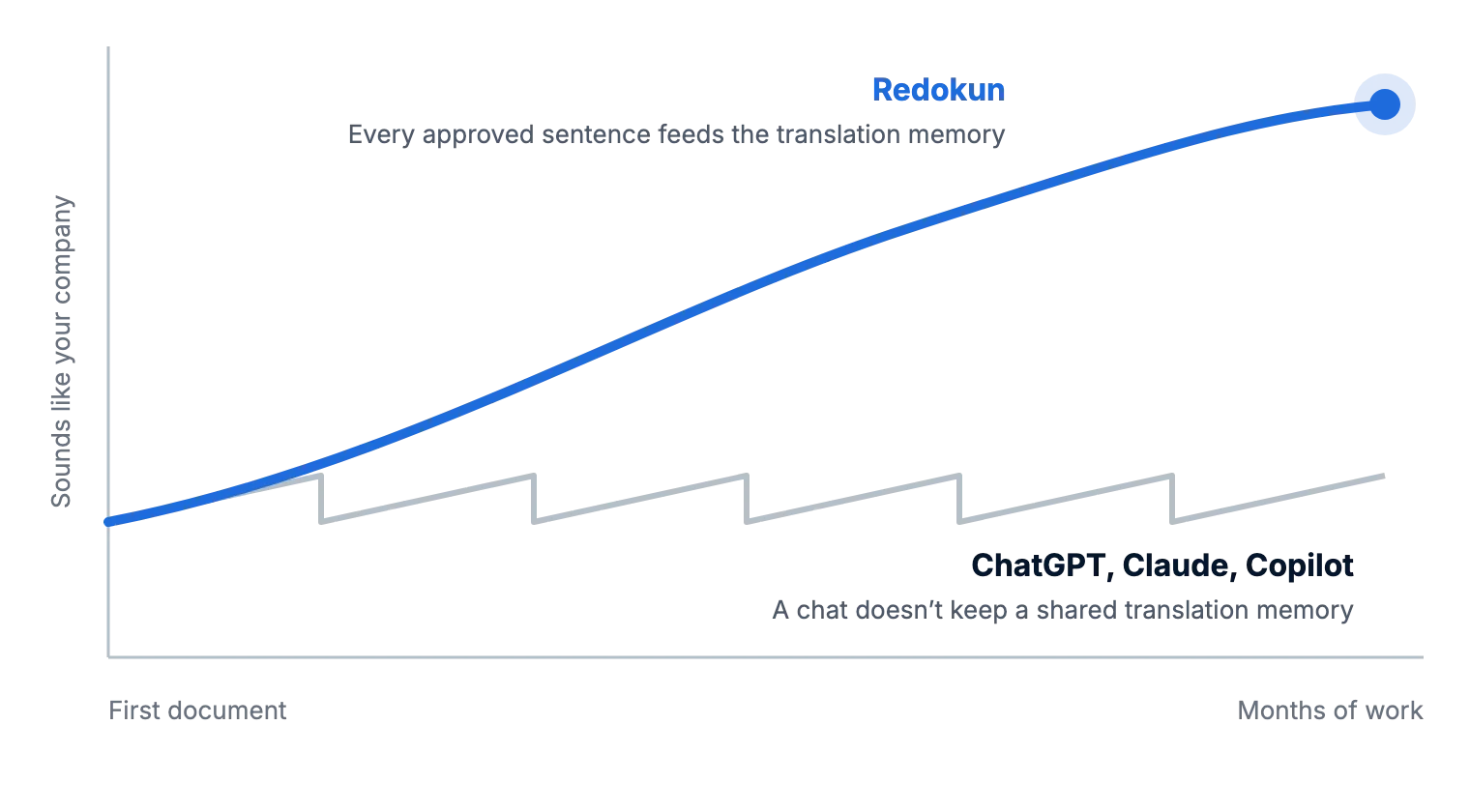
Illustrative, not measured data.

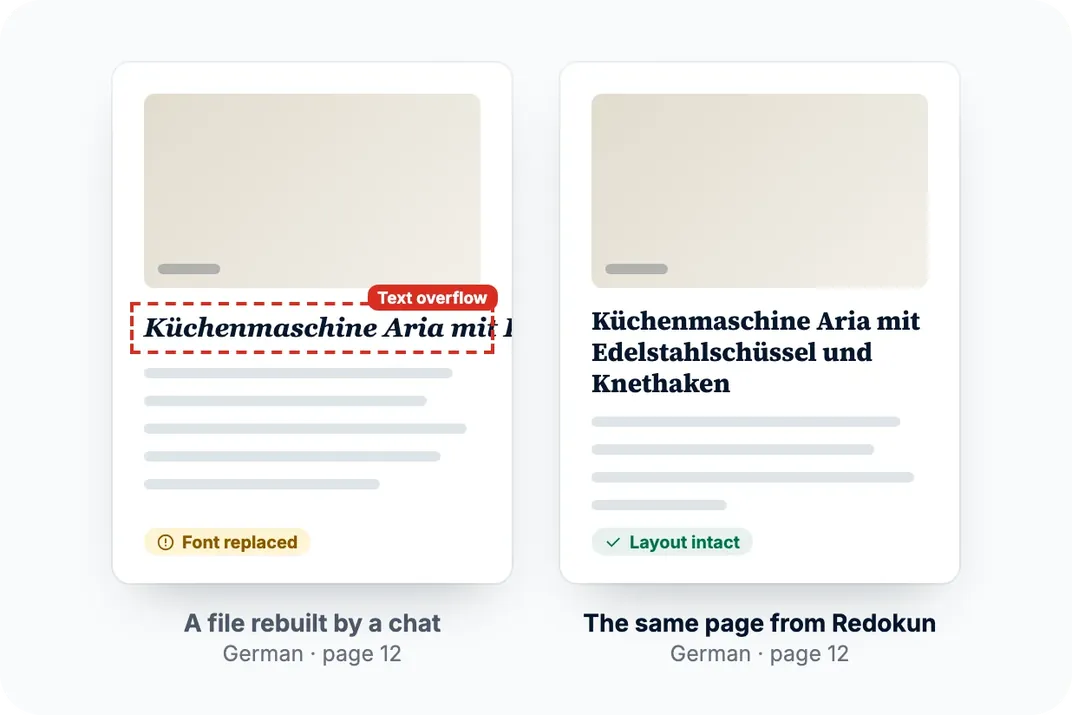
The same design in every language. Not a rebuild.
A chat rewrites the file from what it reads, so fonts, frames and spacing can come back different. Redokun only swaps the words inside the original file. Your German catalogue comes back in the same layout as your English one.
- Works inside the InDesign file: frames, styles, images and links stay where your designer put them
- Translators see a preview of the page while they translate, so they keep the space in mind
- Too long for the space? Ask the AI to make it shorter, right in the editor


Your words, every time, for everyone.
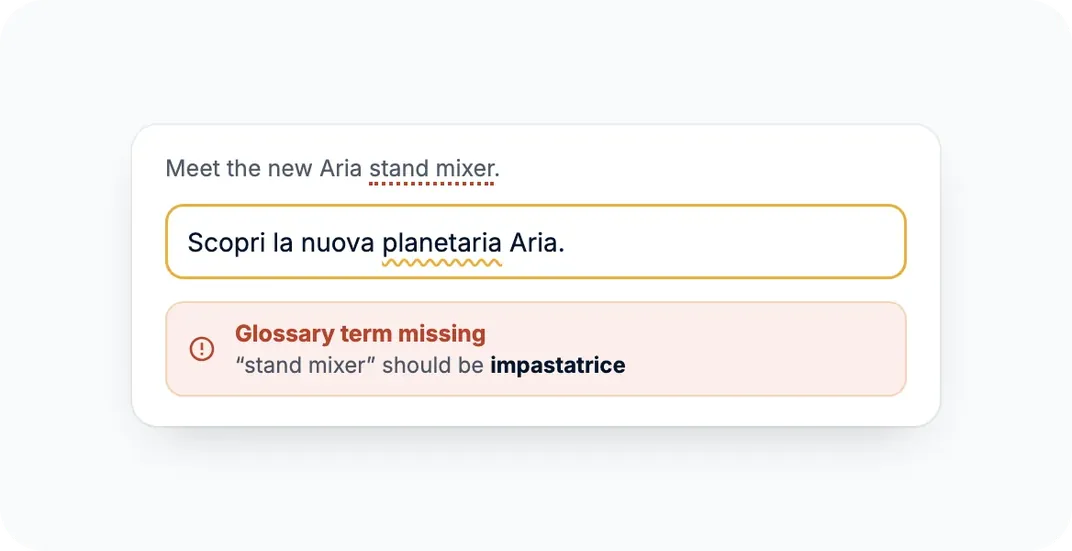
Approved translations and key terms live in your workspace, not in one person’s chat history. The AI drafts from them.
- Approved sentences reused automatically
- Glossary terms flagged in the editor
- The same wording across files and colleagues

Your whole team in one document, not one person in one chat.
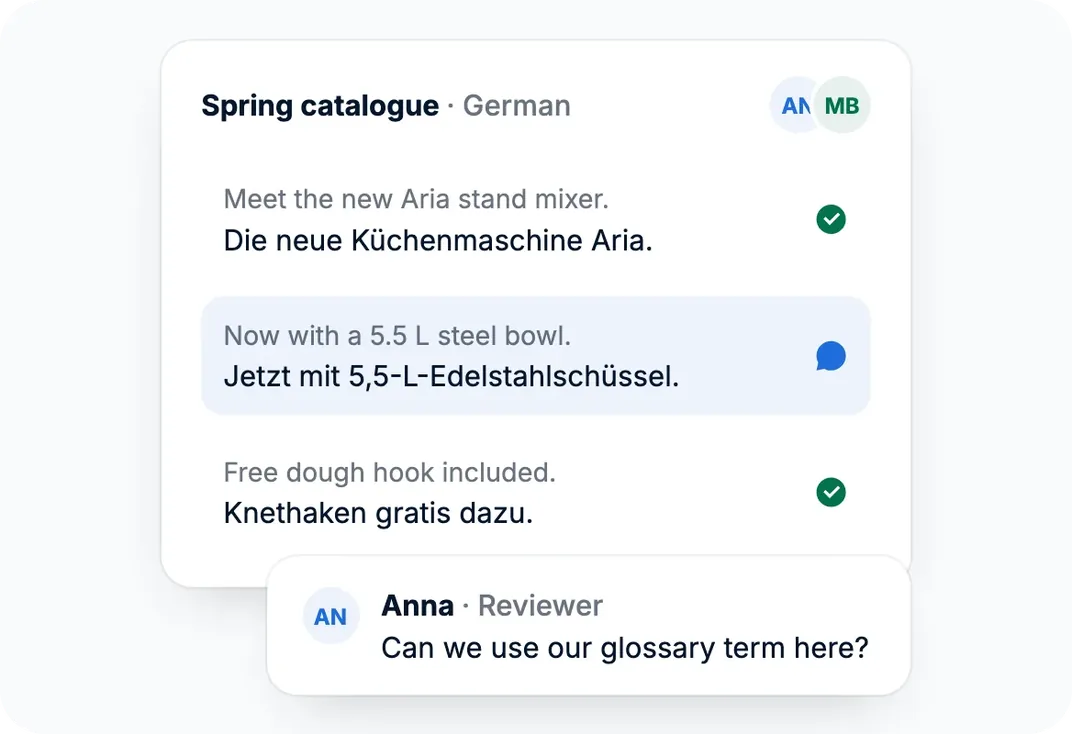
A chat is a conversation, not a shared workspace. In Redokun, translators, reviewers and distributors work on the same file in the browser, ask questions on the exact sentence, and you see where every language stands.
- Invite translators and reviewers by email
- Comments and @mentions on each sentence
- Progress for every language in one place

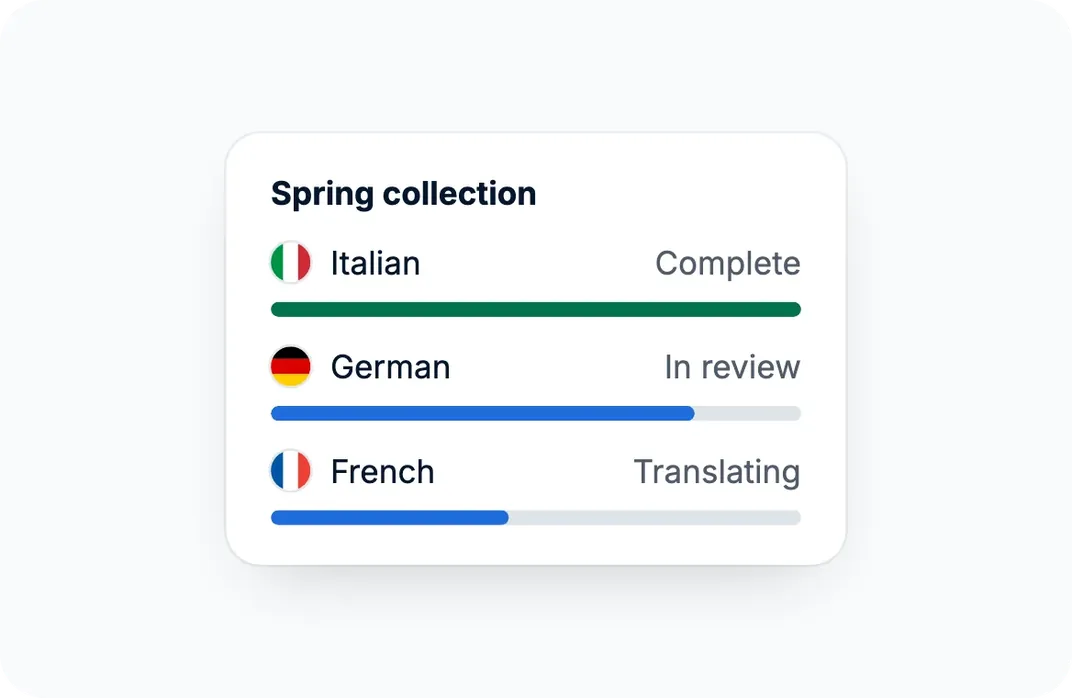
See where every language stands, and who did what.
In a chat, there’s no shared view of how far each language has got. In Redokun, every project shows each language’s progress, who’s working on it, and its activity.
- Progress and status for every language
- Who is working on each language
- No chasing for updates: everyone sees the same project

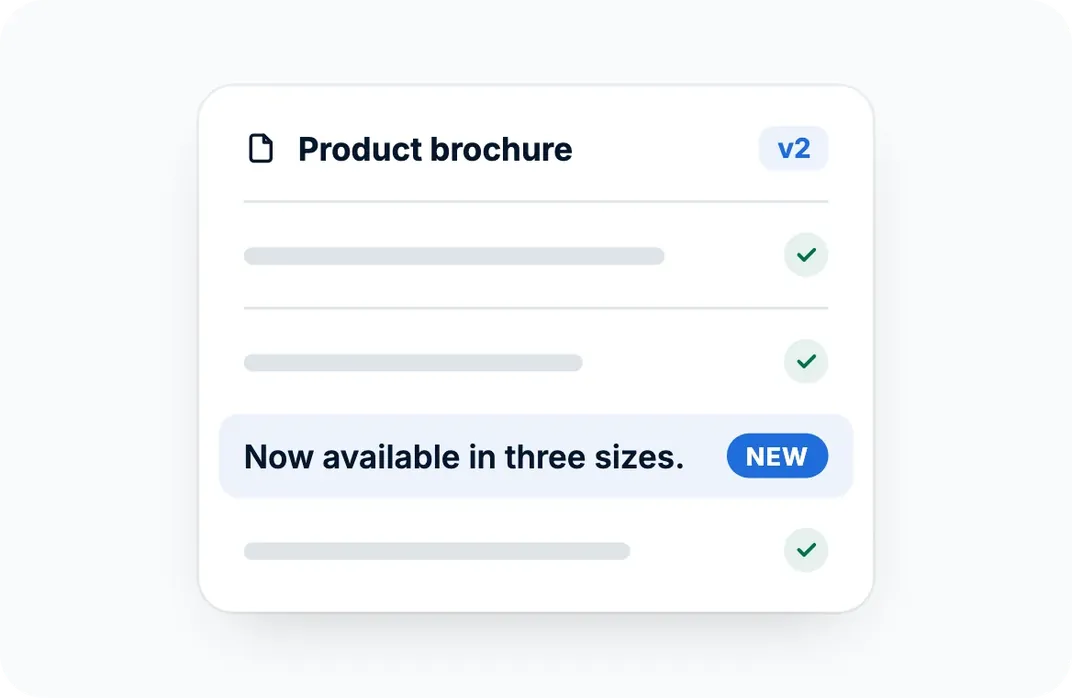
Change one line, not the whole document.
Upload the new version. Only new or changed sentences need translating, in every language at once.
- Unchanged text carries over
- New and edited text marked
- Every language updated together
The spring update: 3 of 40 pages changed.
Take an English catalogue that goes to 8 markets and gets updated twice a year. Here’s what the spring update looks like.


None of this is a flaw in ChatGPT, Claude or Copilot. They’re general assistants, not tools for managing the same content across many languages and many updates.
What teams that publish in every language say.

English into eight markets now takes a couple of minutes.


From 4–5 campaigns a year to 15–16, thanks to a faster translation process.
Updates that took about three weeks per change now take minutes.
Questions about Redokun vs AI assistants
No. Keep using them for writing and quick questions. Redokun is where your team translates content for every market, and it can use ChatGPT for the first draft.
Yes, and for a one-off file that may be enough. Redokun is for when it’s every file: designed layouts kept, the same terms across documents, translators reviewing in one place, and revisions that only touch what changed.
Copilot works inside Microsoft 365 and can help translate Word and PowerPoint content. It doesn’t keep a shared translation memory or glossary for your team. Redokun handles every language in one project, with your memory and glossary.
You choose: DeepL, ChatGPT or Google Translate. Drafts are guided by your translation memory and glossary, so they sound like your team.
No. They’re invited by email and work in the browser, with a preview of the page for InDesign and PowerPoint files. Nothing to install.
Yes. Data is encrypted in transfer (TLS) and stored in ISO 27001 and SOC-compliant data centres.
Start the 14-day free trial: 40,000 exportable words, no credit card. Upload a real file and compare.
Still unsure? Book a call.
Try it on a file you’d give to ChatGPT or Copilot.
14 days free. 40,000 exportable words, no credit card.