Translate your Webflow content, with your glossary and your reviewers.
Send CMS collection items from Webflow to Redokun through our API, directly or with a workflow in Zapier, Make or n8n. Redokun pre-translates with your translation memory and glossary, your reviewers approve, and the translations go back to Webflow as drafts in each locale, ready for you to publish.
How it works
From Webflow to every language, and back.
When a CMS item is ready, your workflow sends its text to Redokun. Approved sentences fill in first, AI drafts the rest with your glossary, and your reviewers confirm each language. Then the workflow writes the translations back to Webflow as drafts, so you publish them when you’re ready.
Start it automatically when content is published
No copy and paste between tabs
Your developers, or a Zapier, Make or n8n workflow, set it up once
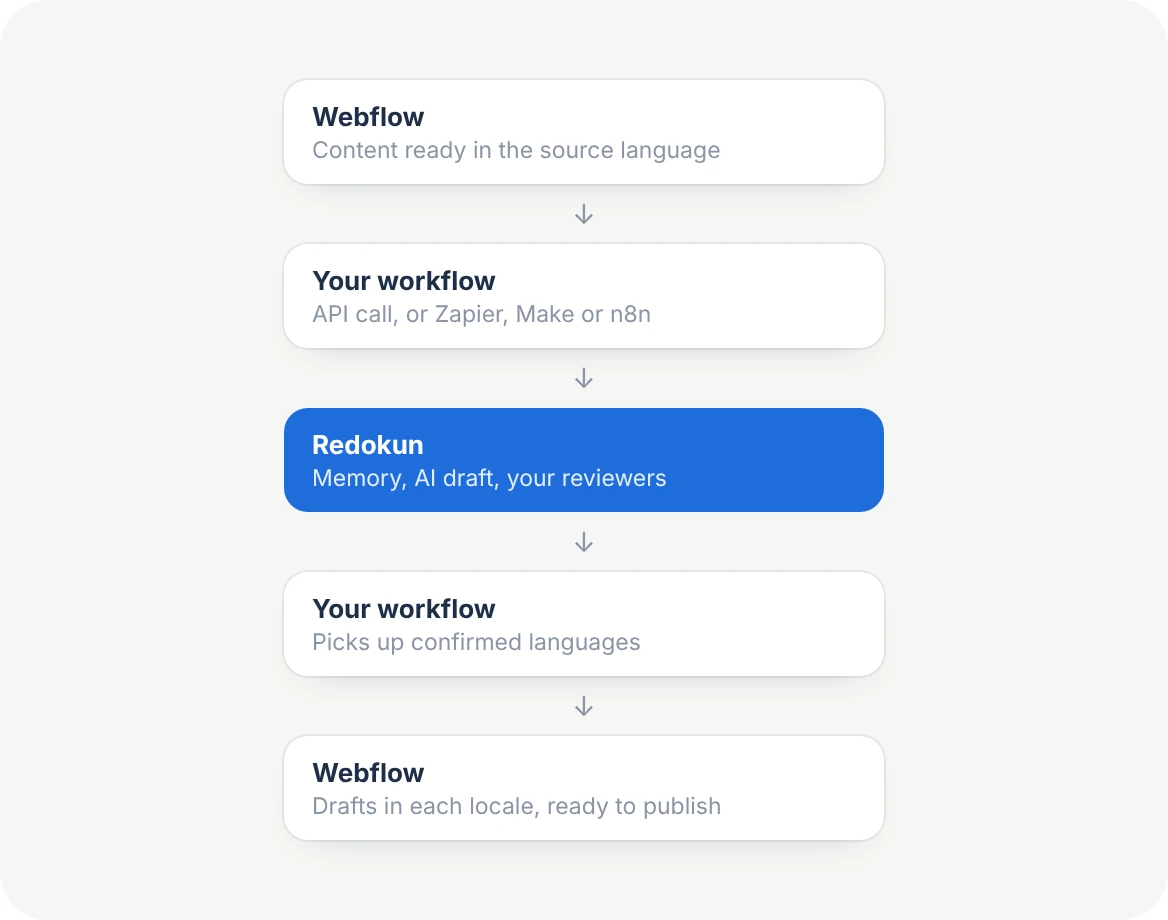
Content goes from Webflow through your workflow (API call, or Zapier, Make or n8n) to Redokun for memory, AI draft and review, and the confirmed languages go back to Webflow as drafts in each locale, ready to publish.
Same terms everywhere
Your Webflow content uses the same words as your brochures.
The text from Webflow goes through the same translation memory and glossary as every document your team translates in Redokun. Product names and claims read the same on the site and in print.
One glossary for the site and your documents
Sentences approved once are reused everywhere
AI drafts follow your approved terms
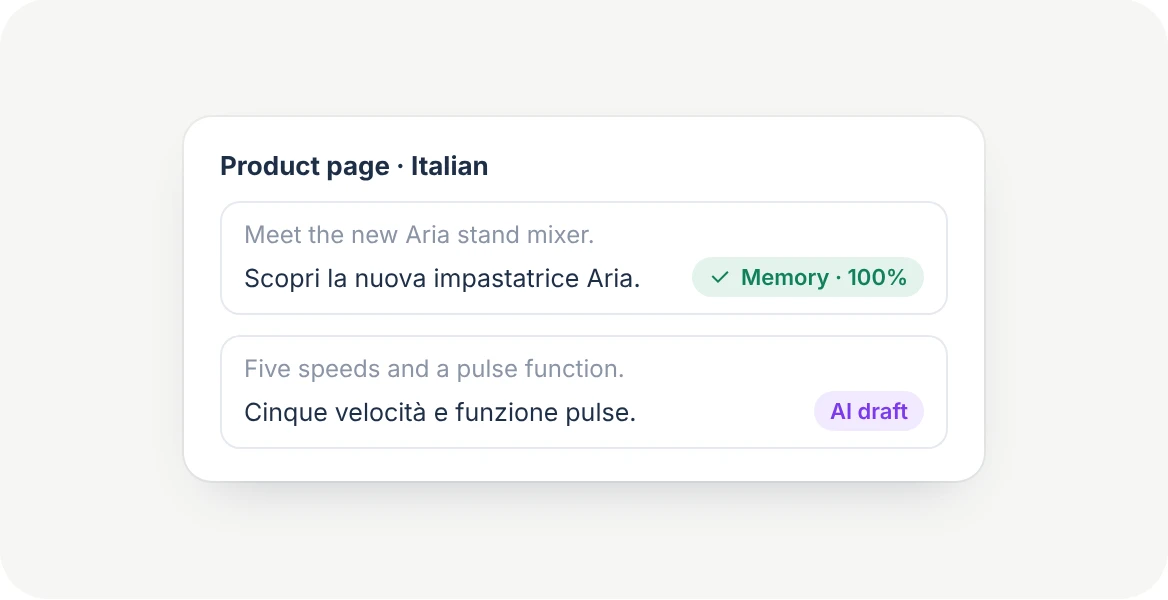
A Webflow product page in Italian: one sentence reused from memory, the other as an AI draft.
Your review
Automation moves the content. People approve the words.
Your reviewers work in the Redokun editor, as usual. Your workflow only picks up the languages they have confirmed, so nothing goes live unchecked unless you choose a fast AI draft.
Choose AI draft or review for each language
Reviewers work in the browser, nothing to install
Only confirmed languages go back to Webflow
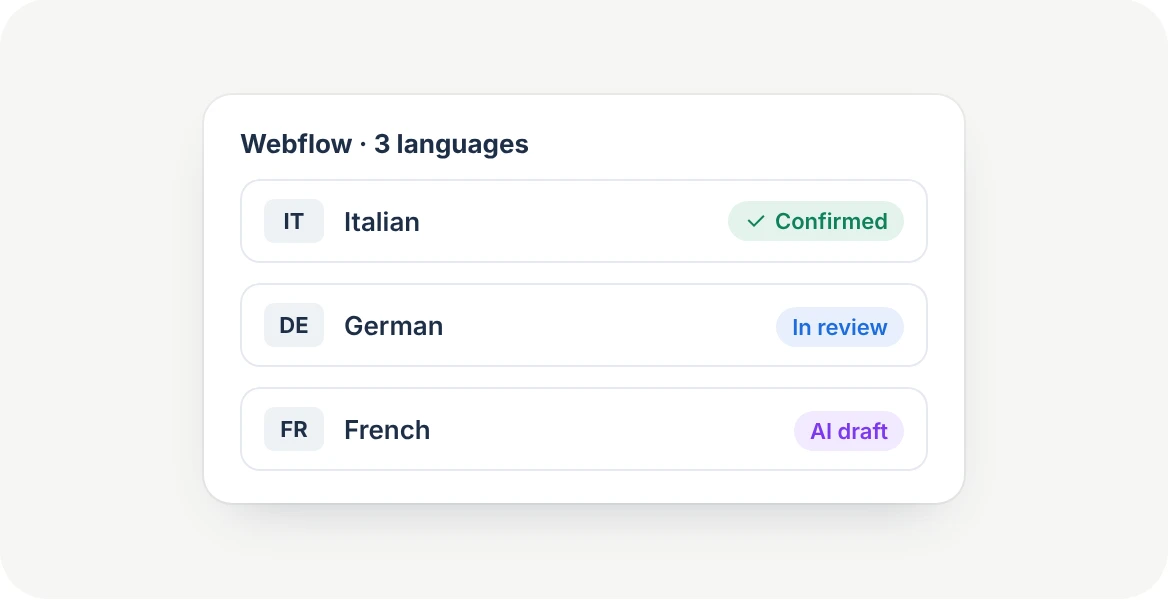
A Webflow site in three languages: Italian confirmed, German in review and French as an AI draft.
Why it matters
Keep Webflow. Add the translation workflow.

Fewer manual handoffs
Content moves between Webflow and Redokun without exporting and pasting by hand.

Same quality bar
Every page uses your translation memory, glossary and reviewers.

One place for every language
Website content and documents are translated and tracked in the same workspace.
FAQ
Questions about translating Webflow content
Is there a Redokun connector for Webflow?
We’re building one. You don’t have to wait: the API route works today, directly or with Zapier, Make or n8n, and everything you translate now stays in your translation memory when the connector arrives. Book a call or email [email protected] and we’ll help you plan the setup.
Does it work with Webflow Localization?
Yes. Webflow shows each language version of your site; Redokun produces the translations that go into each locale.
Which Webflow content can we translate?
Text in your CMS collections, sent through the API. Tell us how your site is built and we’ll check what fits your setup.
Do translations skip human review?
Only if you choose so. For each language you decide: use the AI draft, or send it to a reviewer first. Your workflow only picks up confirmed languages.
Do we need a developer?
Someone needs to set up the workflow once: a developer using our API, or someone comfortable setting up HTTP requests in Zapier, Make or n8n. After that, it runs on its own.
How do we start?
Book a call or email [email protected]. We’ll switch on API access for your account and share the documentation.