Translate together, in the browser.
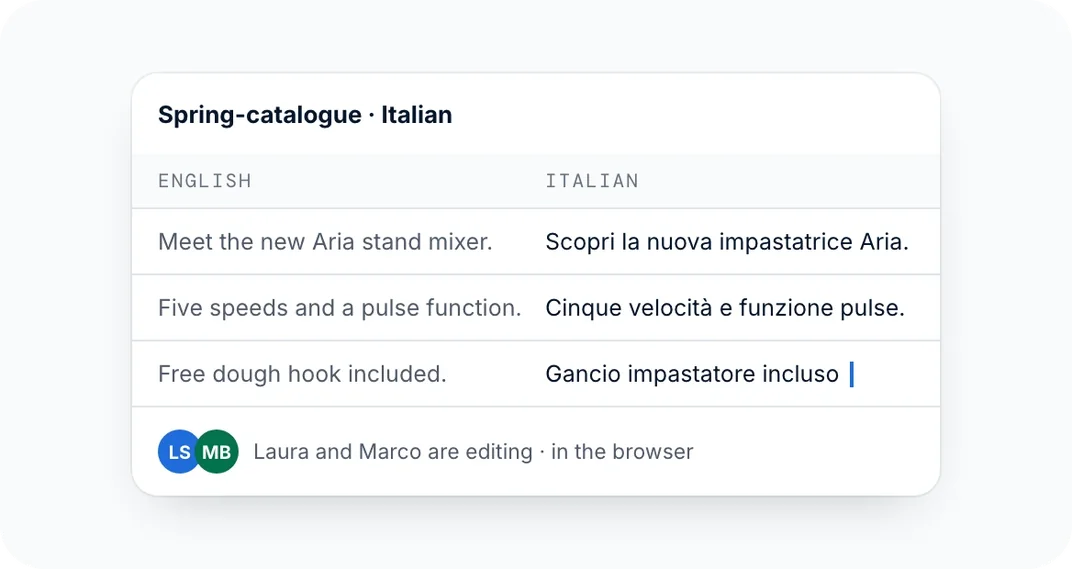
Your team and your translators work in one shared editor, with suggestions, your key terms and comments next to every sentence.

One editor for everyone.
Translators open the document in their browser and start: no software, no files emailed back and forth.
- Works in the browser
- Translators invited by email
Start from a suggestion, not a blank box.
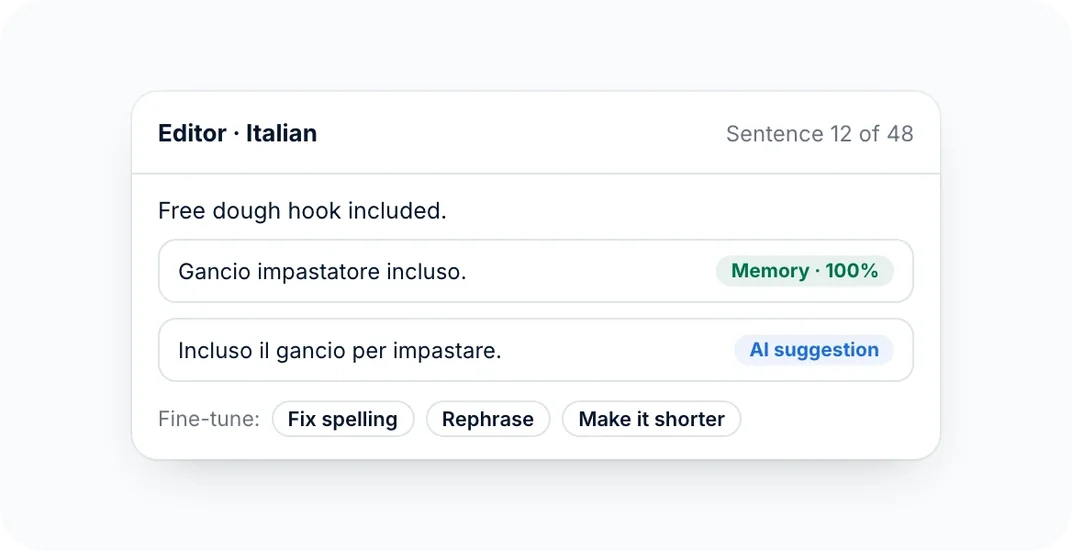
Past translations and AI suggestions appear under each sentence. Use one with a click, then fine-tune it. Because the AI works inside your team’s editor, every translator starts from the same terms and past work.
- Past translations suggested
- Fine-tune: fix, rephrase or shorten
- Glossary terms highlighted
See the page while you translate.
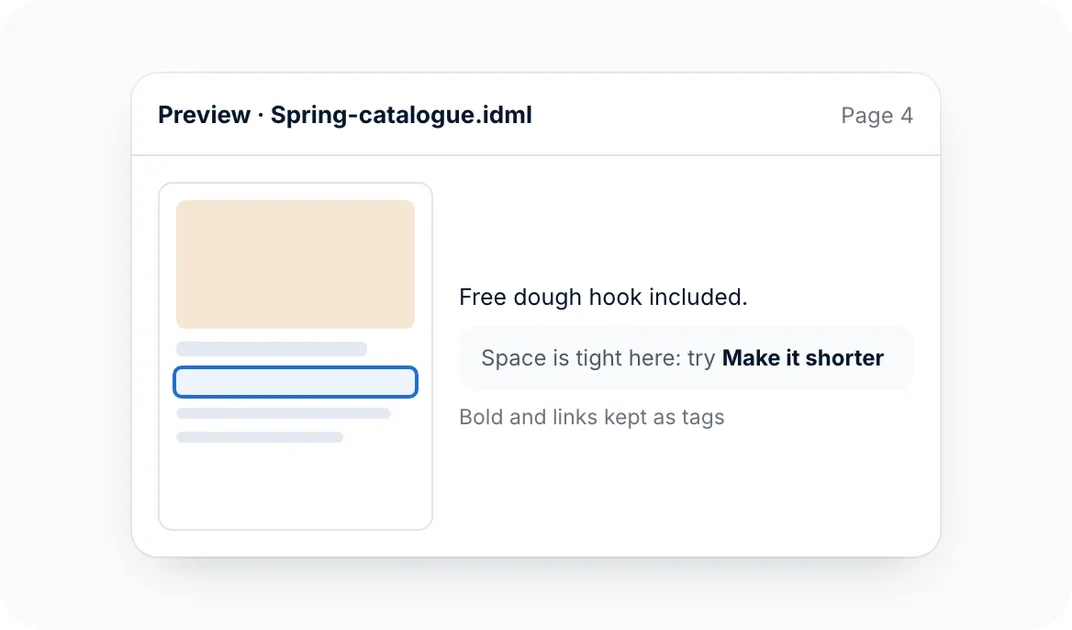
For InDesign and PowerPoint files, a preview shows the page you’re translating, so translations fit the layout.
- Preview for InDesign and PowerPoint
- Formatting kept with tags
- Make it shorter when space is tight
Questions answered where the work is.
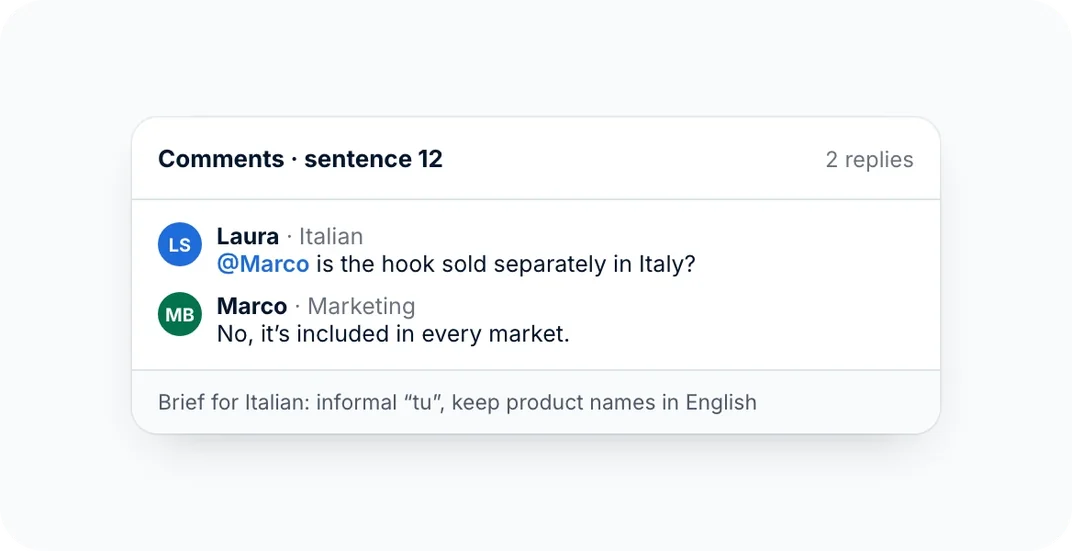
Comment on any sentence, mention a teammate with @ and leave a brief for each language. Questions and answers stay next to the sentence they’re about.
- Comments on any sentence
- @mentions that notify a teammate
- A brief and notes per language
Rockfon
“[...] Uploading the files to Redokun is much faster. It takes about 1/10 of the time compared to having to do it manually through creating and sending email files.”

Less coordination for you, more context for your translators.

No files to chase
No attachments to send or versions to merge.

Right terms, right context
Translators see your key terms and the context of each sentence.

Always up to date
Everyone works on the latest text, at the same time.
Questions about the web editor
No. Redokun works in the browser. Invite translators by email and they start on the document you share.
No. Translators work one sentence at a time with suggestions underneath, and most customers start their first translation project within minutes. If you’d like a walkthrough, book a call.
Yes. Data is encrypted in transfer (TLS) and stored in ISO 27001 and SOC-compliant data centres.
Yes. You export the text as XLIFF or Excel, they translate it in their own tool, and you import it back.
Only the documents and languages you share with them. Downloading the finished files stays with your team.
Both can draft a translation of the text you paste in. In Redokun, AI is one part of a bigger system: its suggestions sit next to your past translations and glossary terms in a shared editor, your team confirms every sentence, and each file comes back in its layout for a final look.
Still unsure? Book a call.
Ready to go global, faster?
Bring your content, your team and your translators into one place.