One line changed. One line to translate.
Revised your document? Upload the new version of your file. Translations you already have carry over in every language, and only what changed needs work.

Upload the new version. Redokun finds what changed.
Redokun compares it with the old version. Sentences that didn’t change keep their translation, in every language. New and edited text, and text whose surroundings changed, is marked for your team.
- Unchanged text carries over
- New and edited text marked
- Every language updated at once
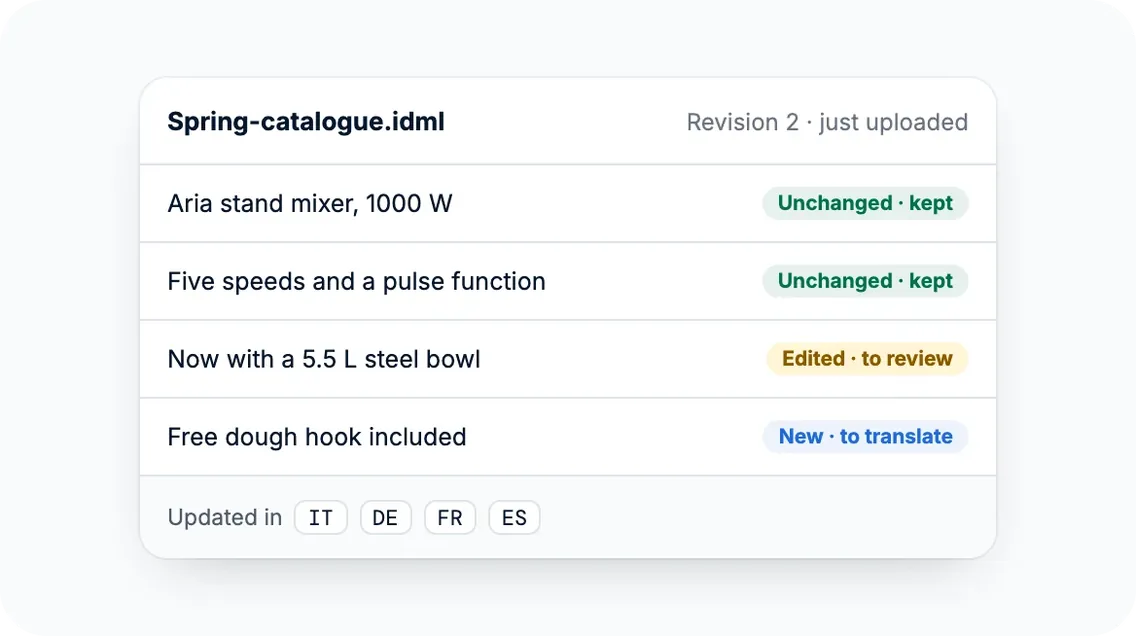
Only the new text to translate.
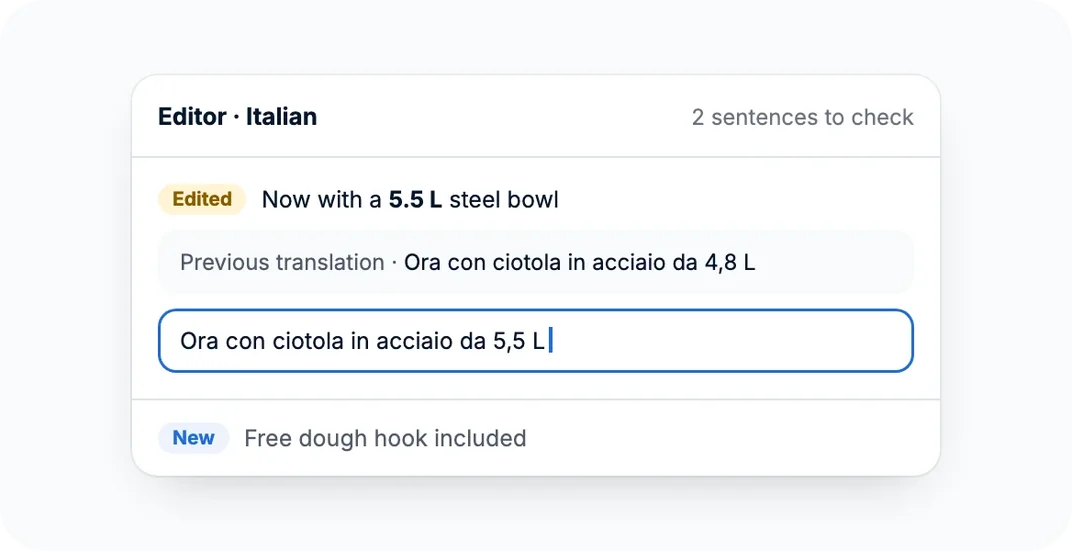
Translators get a notice and see which sentences are new or changed, with earlier translations as suggestions where there are any.
- Translators notified on upload
- Changed sentences marked to review
- Past translations suggested
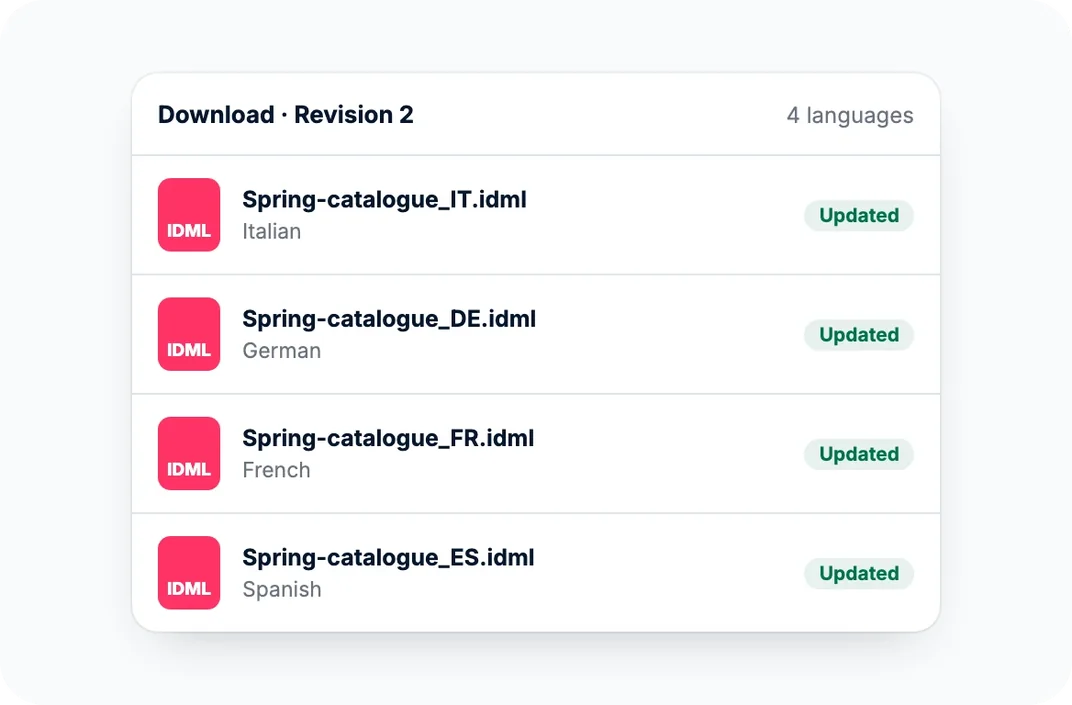
Updated files in every language.
Let AI draft the new text, guided by your glossary. Your team reviews it, then downloads each language in its original format and layout, ready for a final check.
- AI translation fills new text
- Original format and layout kept
- See where each language stands
EC English Language Centres
“Redokun has saved us so much time and money. It’s been worth every penny of the investment. [...] Our designers now have more time to work on creative projects rather than being tied up with the mind-numbing task of copying and pasting between files.”

Last-minute changes? No stress.

Less work for every update
Your team works only on the sentences Redokun marks. The rest keep their translation.

Fewer missed edits
Changes are marked, so your team sees what to check.

On-time launches
Late edits don’t have to hold up every language.
Questions about revisions
Whenever the original changes: a fix, a product update or a layout change, even while translation is under way.
Both can draft a translation of the text you paste in. In Redokun, AI is one part of a bigger system: Redokun compares the new version with the old one for you, keeps the translations you already have in every language, and can draft only the new text, guided by your glossary. Your team reviews those sentences and downloads each language in its original layout.
They stay. If the text around a sentence changed, it’s marked for review with the old translation as a suggestion.
New and edited sentences, and sentences whose surrounding text changed, need your team’s review before they count as done. Every other sentence keeps its translation. AI translation can fill the open ones first, then your team confirms them.
Yes, they’re notified automatically. You can switch the notice off when you upload.
Yes. You can go back to the previous revision. The newer one and its translations are then deleted for good.
No. For a revision, upload the new version as the original Word or PowerPoint file.
Yes. A revision counts as a new document, so all its words are counted the first time you download each language. Downloading the same revision again is free, and Premium has unlimited words.
Still unsure? Book a call.
Ready to go global, faster?
Bring your content, your team and your translators into one place.