Work with any agency, any tool.
Export the text for agencies that prefer their own tools, then import their work back. No copy-paste, nothing lost.

Send the text, not the file.
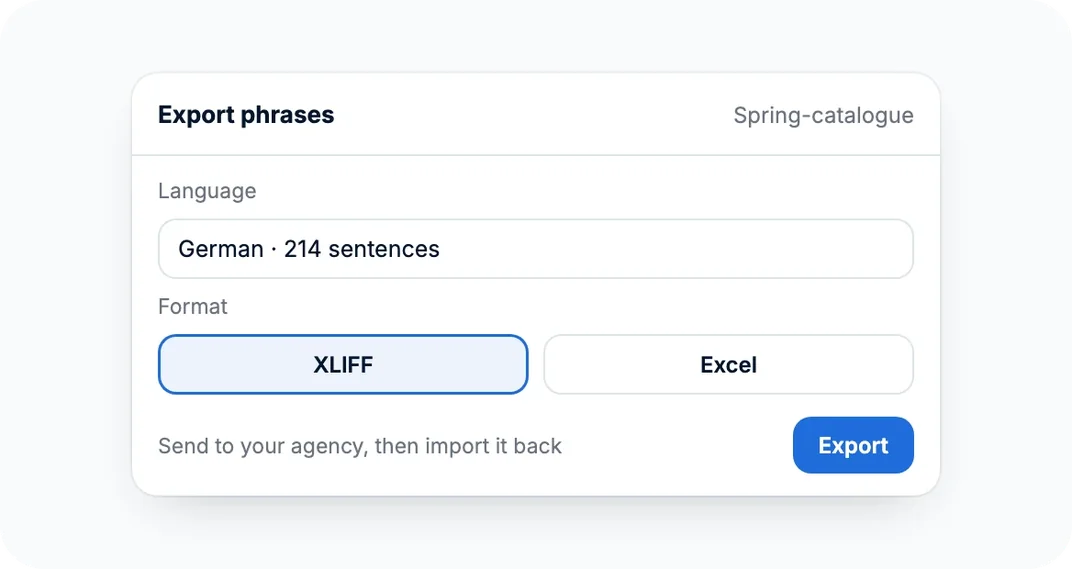
Export a language as an XLIFF or Excel file. The agency translates it in its own tool and you import it back into Redokun.
- XLIFF or Excel files
- Works with the agency’s own tool
- Import fills the translations in
Agency work still builds your memory.
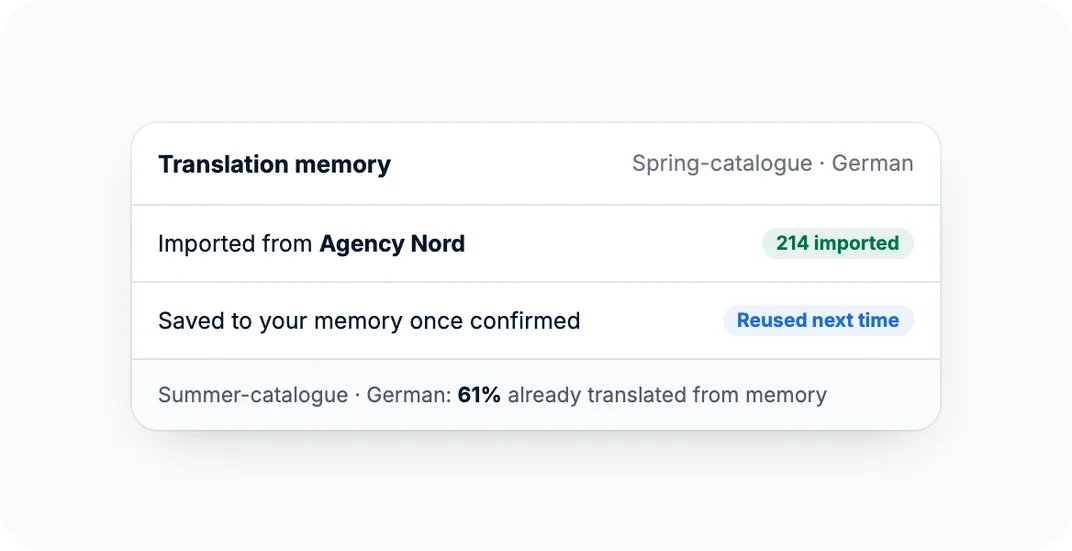
Once you confirm them, imported translations go into your memory like any others, and the next project reuses them, whoever did the work.
- One memory for every vendor
- Reused in the next project
- Less left to translate each time
Online or offline, per translator.
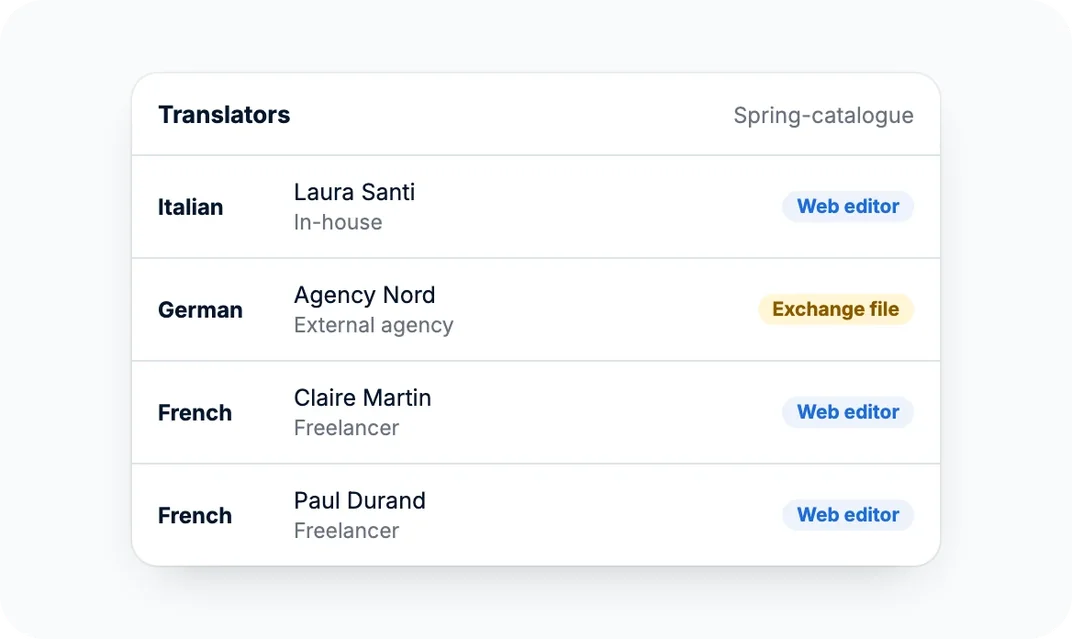
Each translator chooses: Redokun’s web editor or their own tool. You assign the work the same way.
- Web editor or exchange file
- Several translators per language
- Same steps, in-house or external
Quality checks stay with you.
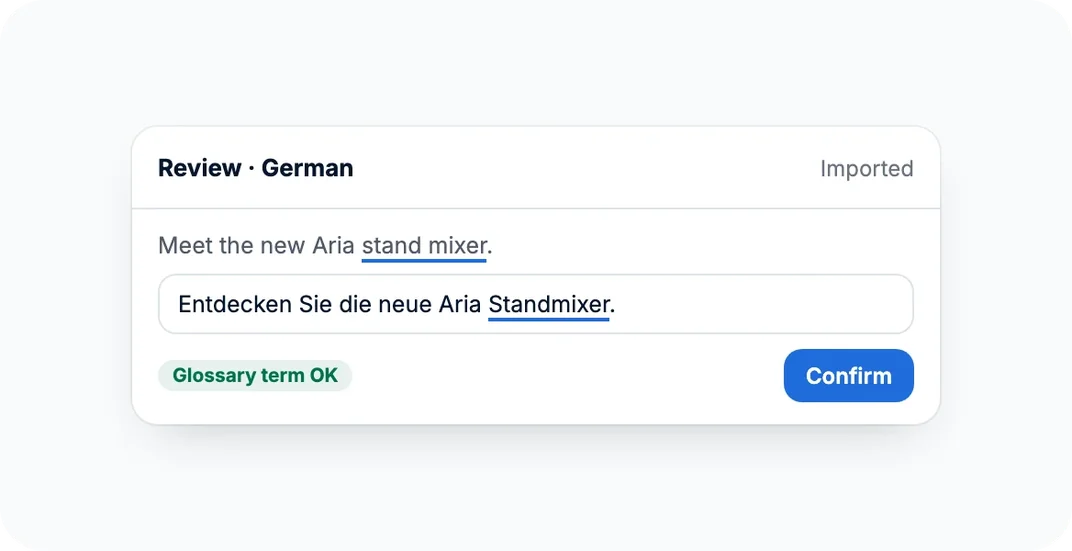
Review imported translations in the web editor, with your glossary and past translations, before you download the files.
- Review imports in the web editor
- Glossary terms highlighted
- Download in the original format
FranklinCovey
“We’re not only saving money, we’re also saving timelines. And what used to take us three weeks now it takes us a week or a few days.”

Every agency. One workflow.

All the work in one document
AI drafts, agency imports and your team’s edits land in the same place. What you confirm is reused.

Wrong terms stand out
Your glossary is highlighted in every vendor’s work, so you see a missing or wrong term.

One place to track
Progress for every vendor in one list.
Questions about working with agencies
No. Keep the agencies and freelancers you trust. Their work comes back into Redokun and, once you confirm it, into your translation memory, so each new project starts from the translations you already have.
Email moves the files, and ChatGPT or Claude can draft a translation. Redokun keeps everything around the translation in one place: AI drafts guided by your glossary, your agency’s imports, your team’s review, and every confirmed sentence saved for the next project. Files go back out in their original layout, ready for a final check.
Yes. Assign more than one translator; in the web editor they can work at the same time.
No. They can work in Redokun’s web editor in their browser, or translate an exchange file in the tool they already use.
XLIFF or Excel. We recommend XLIFF for agencies: it keeps bold text and links in place.
Yes. Confirmed translations are saved and reused in future projects.
They can translate an exchange file offline and send it back for you to import.
No. A translator you invite sees only the documents and languages assigned to them. With an exchange file, the agency only gets the text you export.
Still unsure? Book a call.
Ready to go global, faster?
Bring your content, your team and your translators into one place.