Translate from your AI assistant, in your company’s words.
Ask Claude, or another AI assistant that supports MCP, to send content to Redokun, pre-translate it with your glossary, translation memory and tone of voice, invite your reviewers and bring the translations back. All without leaving the chat.
The problem
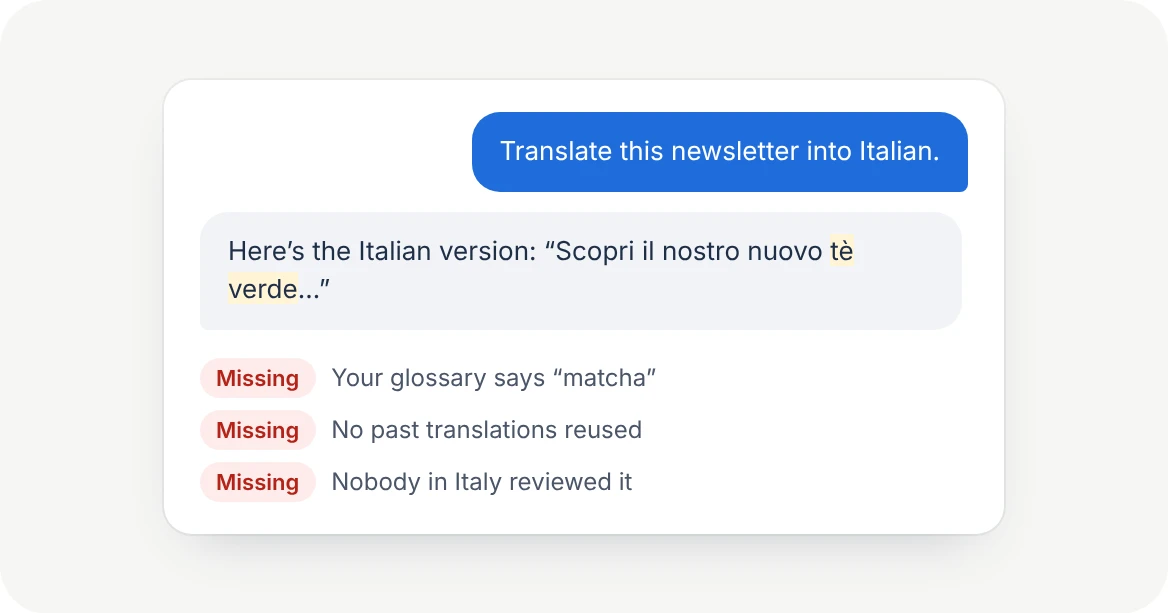
When your team members translate in a chat, your glossary isn’t there.
More and more content work happens inside AI assistants. When a translation happens there, it skips your glossary, your translation memory and your reviewers, and nobody knows who approved what.
Terms drift from one text to the next
Past approved translations aren’t reused
No review, no record
A WordPress product page progresses from approved wording to an AI draft and review.
Send for translation
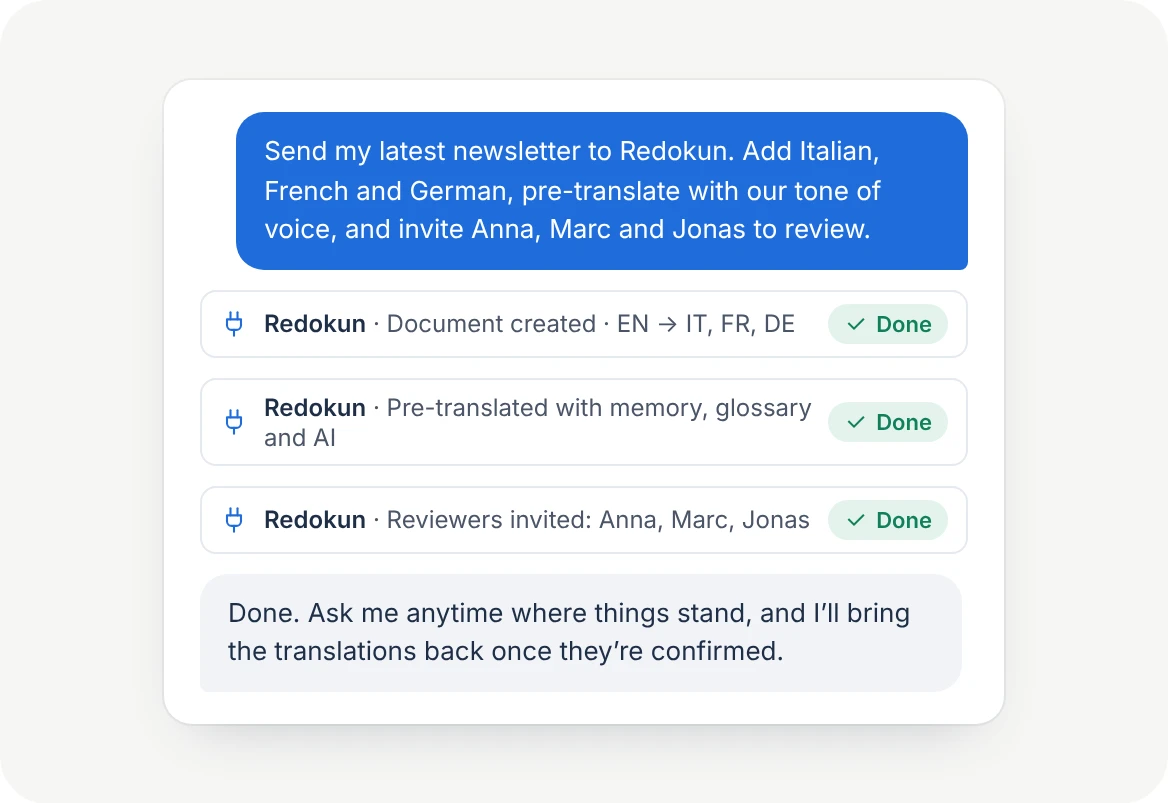
Hand it to Redokun from the chat.
Your assistant takes the text or file from wherever it is, sends it to Redokun with the languages you want, and starts the same process as any upload.
Send a file, or text from another tool
Translate with your memory, glossary, AI and tone of voice
Choose a reviewer for each language
Ask where things stand, and get the translations back as text or a file
WordPress connection steps with the plugin, connection key and page picker.
Fix terminology
Change a term once. Fix it everywhere.
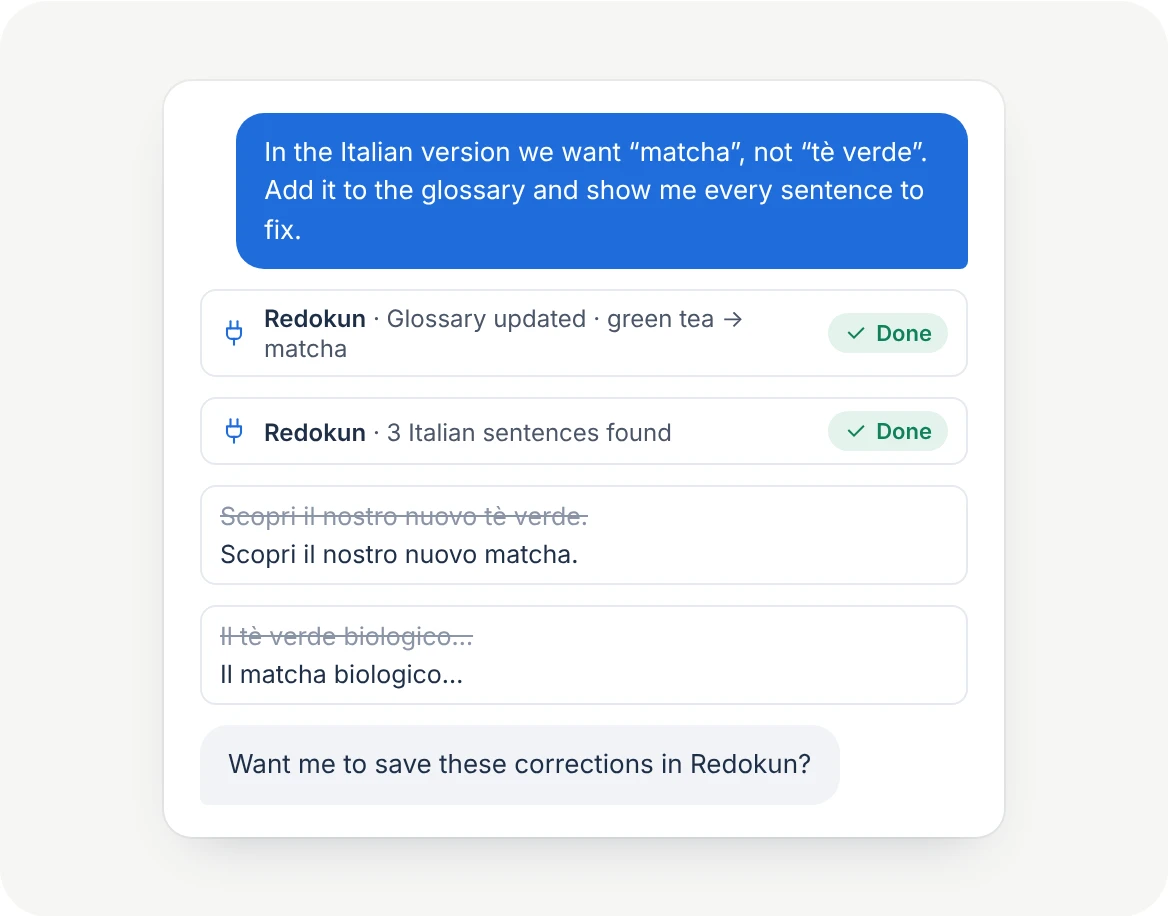
Ask your assistant to find a word across a document, update the glossary and propose corrections. It shows you each change before anything is saved.
Find every sentence that contains a term
Add or change glossary terms
Check which sentences don’t follow the glossary
Save corrections once you approve them
An approved catalogue sentence is reused in the WordPress version of a product page.
You stay in control
Your assistant proposes. People approve.
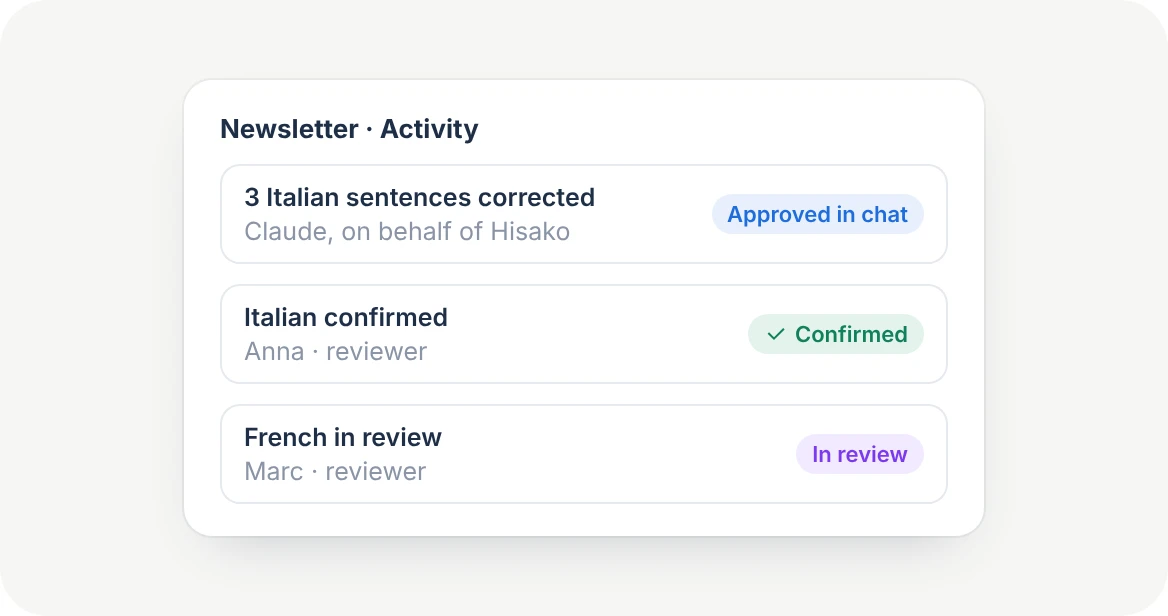
Nothing is saved until you approve it in the chat. Your reviewers still confirm each language in Redokun, and every change made from an assistant is recorded with your name.
You approve each change before it’s saved
Reviewers confirm in the Redokun editor, as usual
A clear record of who changed what
The WordPress draft list shows published, ready and in-review languages.
Why it matters
Use AI for the work. Keep Redokun for the words.

Stay where you work
Send, check and fix translations from the same chat where you write and plan.

Same approved language
Every request uses your glossary, translation memory and tone of voice.

Works with your other tools
Your assistant reaches your newsletter tool, Slack or CMS through its own connectors. Redokun doesn’t need to.
FAQ
Questions about the Redokun MCP
What is MCP?
MCP (Model Context Protocol) is an open standard that lets AI assistants use other tools. With the Redokun MCP, your assistant can use Redokun for you: send content, check progress, bring translations back and fix terms.
When will it be available?
The Redokun MCP is coming soon. Book a call or email [email protected] to get early access.
Which AI assistants does it work with?
Claude, and other AI assistants that support MCP.
Will the AI change our translations without asking?
No. Your assistant proposes changes and you approve them in the chat before anything is saved. Reviewers still confirm each language in Redokun, and every change is recorded.
How is it different from the Redokun API?
It does the same things as the API. The API is for developers and automated workflows; the MCP lets anyone on your team do them by asking in a chat, without writing code.
Does Redokun need to connect to our newsletter tool or CMS?
No. Your assistant reaches those through its own connectors. Redokun takes care of the translation: your glossary, translation memory, tone of voice and reviewers.