Writing the proposal is hard enough. Building the layout from scratch, on a deadline, is the part nobody asks for. So we went through Adobe Stock and Envato Elements and picked 65 InDesign templates for proposals: 5 in the free section, then 20 modern, 20 simple, and 20 minimal layouts.
Before you download, open the product page and check the price, the licence, and the InDesign version the file needs. Both marketplaces change those details without warning, and in a list this long a few items eventually get retired. There is a short guide to choosing and editing them after the gallery.
Quick heads-up: some links in this list are affiliate links, which means we may earn a small commission if you make a purchase — it won't cost you anything extra.
Here's an overview of all the categories, feel free to jump to the section you find most interesting:
- Free InDesign Proposal Templates
- Modern InDesign Proposal Templates
- Simple InDesign Proposal Templates
- Minimal InDesign Proposal Templates
No time to scroll, here's a super practical search bar for you:
Free InDesign Proposal Templates
1. Peachy Coral Proposal Layout

Pastel color like this peachy coral can always make people feel calm and comfortable. Use this template as a business proposal to showcase your business plans. Definitely can win your client's heart!
2. Proposal Layout with Sky Blue Accents
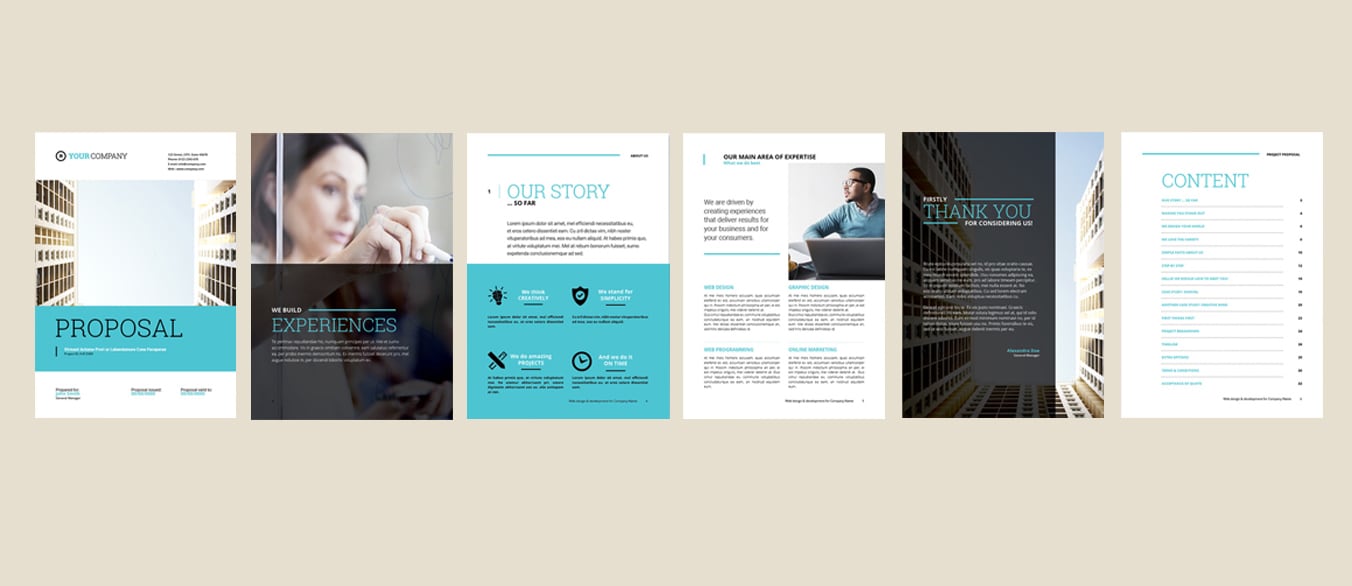
A versatile business proposal layout for your professional projects. Go for this template if you are a perfectionist who wants to have all projects details displayed on the template from top to bottom.
3. Pink Minimalist Organized Proposal Layout

Minimalist yet organized is the optimal combination. Do you agree with me? Pitching your ideas and business ventures with this comprehensive and organized proposal layout!
4. Professional Company Report Layout

Customize your next company report or proposal with the help of this simple template. The overall design is professional and clean, especially the ocean-blue background which can easily stand out your presentation contents.
5. Presentation Layout with Clean White Background

Seeking for layout that can accommodate with lots of pictures and paragraphs? If so, this template is well-prepared for you! It is a fun and quirky presentation layout that you have rarely seen before.
Modern InDesign Proposal Templates
6. Proposal Layout with Avocado Green Accents

A clean and balanced layout make this proposal template a great choice for everyone. This layout is suitable for any project purpose due to its practical and clear-divided elements. Very easy to use and customize.
7. Modern Blue and Grey Proposal

If you're looking to create a modern proposal to impress your audience, this is the perfect proposal template for you. The side of the template using a unique blue color which creates a modern look to catch the audience's attention.
8. Proposal with Purple and Green Accents

Vivid and powerful, modern and detailed. Its strong typography make your proposal looks professional. Choose this template if you need a professional-looking proposal to introduce your project.
9. Retro Matte Green

People who like retro style will like this template. This template combines color of white and matte green in its design. White, which is the perfect color to go with green, it instantly adds contrast and freshness to the overall layout.
10. Classy Black and Red Proposal

This template looks simple but not boring. Black and red color creates a classic look within the proposal that your prospective clients will appreciate. It is suitable for people who like an uncomplicated yet striking design.
11. The Pomegranate Red Details

White, grey and black background in combination with pomegranate red details to add a splash of color. Perfectly balanced between masculine and feminine design of this template makes it distinctive from others.
12. Brochure with Ikea Representing Colors

The primary inspiring element of this brochure template design was mostly the colors of Ikea logo, which is blue and yellow. This template gives readers a calm and optimism feeling while looking at it.
13. The Elegant Proposal Layout

A mix of white and navy blue background, a side element and an innovative structure. This template is designed for those wanting to present images alongside infographics and text in a stylish and elegant way.
14. Navy and Coral Double-Page Proposal
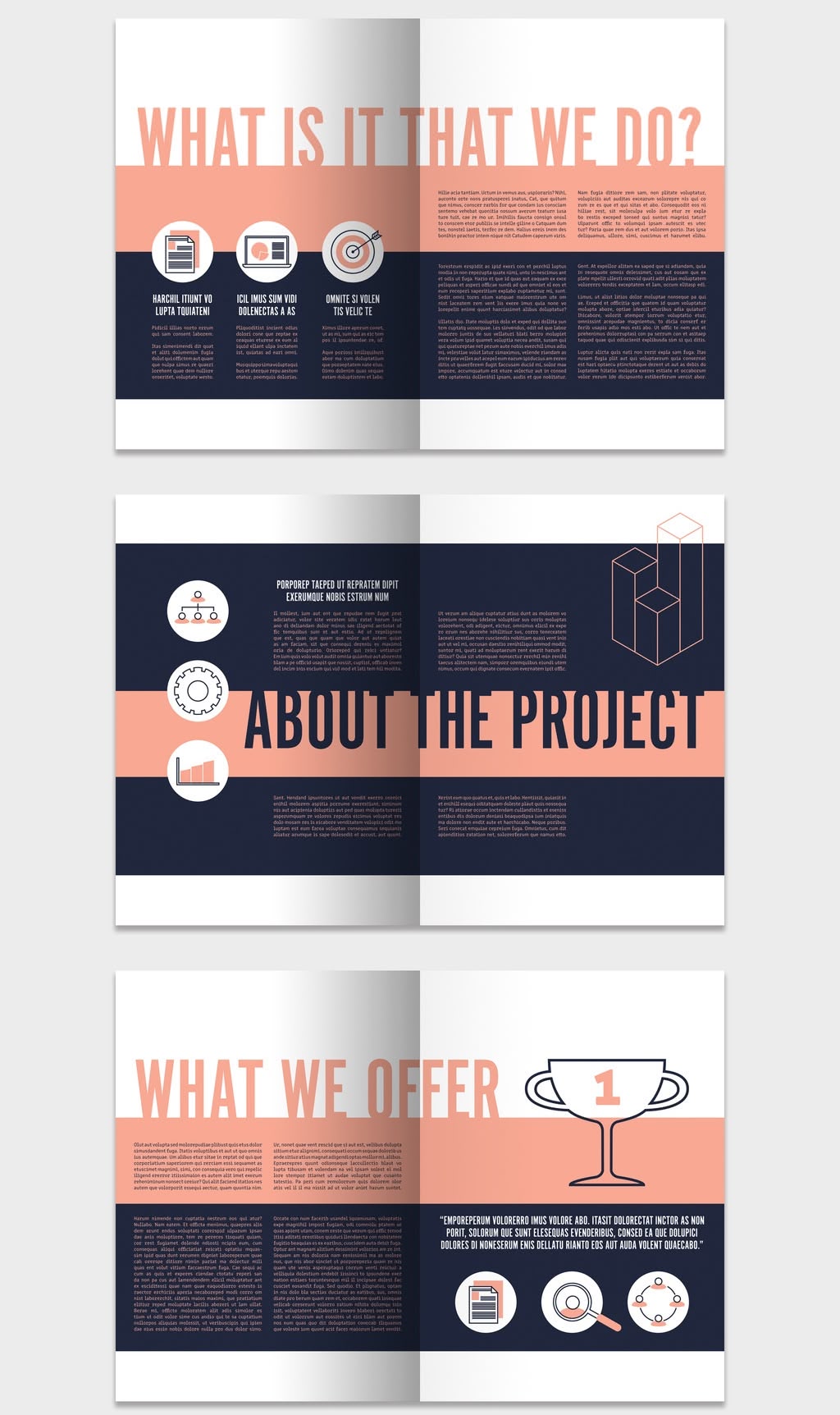
Every spread in this one is split down the middle: a deep navy block on one side, a soft coral band on the other, so each section reads as two clear halves. Oversized condensed headings (What Is It That We Do?, About The Project, What We Offer, Our Team) and simple line icons keep the structure obvious at a glance. Adobe lists it as 10 pages in A4 and US Letter, CMYK, fully editable, with the photos and design elements included in the download.
15. Proposal Layout with Red Accents

Catch your audience's eyes with the help of this stunning layout. This template emphasizes the colors of white and blood red. Since white is a simple color, the use of blood red in the details fits right in.
16. Grey Blue Abstract Aesthetic Proposal

This template is the perfect solution if you're looking for a unique and modern way to share your proposal information with your audience. Grey, blue and brown colors blend well together, creating a really beautiful and harmonious look.
17. Dark Denim Blue Proposal

Dark denim blue hues forms a luxury and high-end ambience to the overall proposal template. If you need to showcase your work in both text and table form, this is the portfolio for you!
18. The Sheen Green Details

This proposal template allows you to easily pop in your own company introduction, portfolio, and project budgetary information for your potential clients. Unlike most templates, this one uses color of sheen green, the mixture of yellow and green color.
19. Proposal Layout with Blue Elements

Want a more muted proposal template? This blue monochromatic color scheme generates a tender feel without overwhelming your audience. All you have to do is switch out the template content and send this off to your prospective client.
20. Minimalist Proposal Layout

The large font size enables headline to be easily seen by the readers at a glance. This template provides a gallery session before the closing page of the template. You can exhibit your images here.
21. Proposal Layout with Blue Gradient Accents

This template is using turquoise color as its main theme and there are a lot of spaces reserved for descriptive text. Try this if you need to demonstrate your work and experience textually.
22. SEO and Digital Marketing Proposal

A simple white background matches with green bar elements at the bottom of the layout page. This template fits perfectly for those who prefer traditional design more than a fancy one.
23. Illustrative Playful Orange Layout

Are you fond of bright and uplifting colors? If so, take this template! On top of that, the versatile structure allows you to present your work in the best possible way.
24. Landscape Proposal with Yellow Highlights
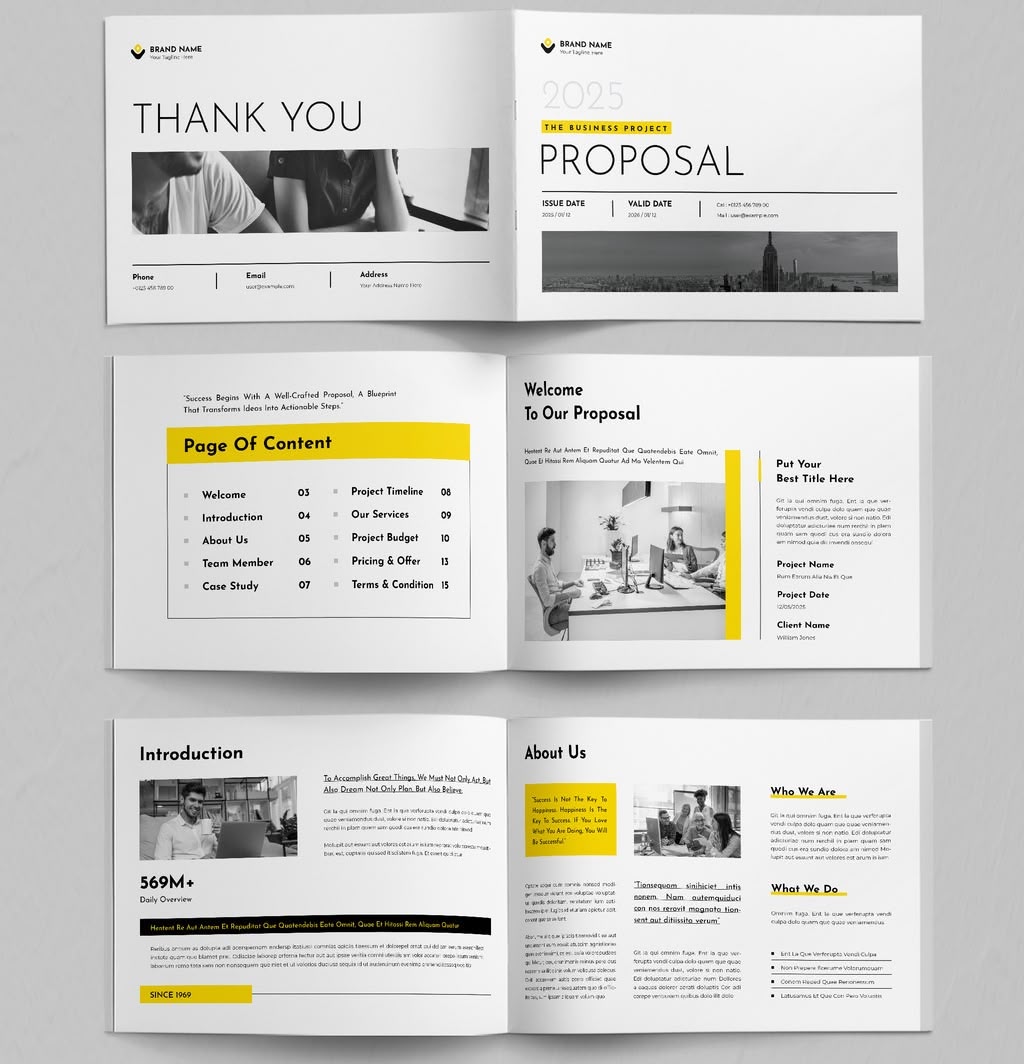
Landscape again, and it earns it: the wide pages give the project timeline, the budget table and the three pricing tiers room to breathe instead of stacking them. White pages and black text are broken up by lemon-yellow highlight bars and black-and-white photography, with ready-made pages for Welcome, Introduction, About Us, Director Statement, Team Member, Case Study, Project Timeline, Our Services, Project Budget Breakdown, Pricing & Offer and Terms & Condition. Adobe lists it as 16 pages, A4, CMYK; the photos in the preview are for display only and are not included in the download.
25. Creative Blue Stripes Proposal

Want to break away from traditional design? Those blue thick stripes which seamlessly connect both pages show how creative this template is. It is suitable for any person trying to showcase their work in an extraordinary way.
Simple InDesign Proposal Templates
26. Proposal with Square Element

This template offers you a powerful source of information in a great look to have a strong, visually pleasing brand, easy to edit text, images, and elements. There are 3 colors available for your choice: green, purple and orange.
27. Timeless and Classic in One Go

This is a comprehensive and professional proposal template designed in the most timeless color combination - black, white and grey. Choosing this proposal template means making a safe choice since classic never goes wrong, right?
28. Watery Colours Themed Proposal

The beauty of this template is its watery light blue and grey color theme. This template covers most of your client interactions from introduction to pitching, to design and finally to billing.
29. The Dominance of Blue Accents

Some of the template pages are fully covered by azure blue color, with popping headings in white color. Thanks to this feature, readers can differentiate the headings effortlessly.
30. Proposal with Blue and Grey Accents

The general look and feel for this template is clean, modern and elegant. Moreover, all units and text are layered to customize easily. Therefore, this is the perfect proposal template for you!
31. Dim Colored Proposal Layout

A template with dim color accents like this presents a clean and minimalistic look. This template is the best solution whether you are a designer, creator, student or lecturer who wants to present your project flawlessly.
32. Minimalist Blue Project Proposal

This minimalist blue project proposal template is sure to give you everything you'll need. Its layout is straightforward yet versatile, and the light blue hues is added to give the template a splash of color.
33. Proposal Layout with Yellow Accents

In need of an eye-catching template to showcase your proposal? Then you should opt for this yellow-accents-template! This yellow color is bright but not intense, sure can quickly grab your audience's attention.
34. Grey Minimalist Proposal Layout

This template is a clean, brief and minimal design that can match with nearly every corporate identity. Give your customers information about your company in an easy and modern way to show how professional your company is.
35. Proposal with Creative Circle Elements

This template adopts creative irregular circle elements for you to drop images that are in correspondence with content. You can even insert QR code on the cover page of the template to direct customers to your company website.
36. Yellow and Black Combo

You should consider this template if you have brimful content to put in your proposal. It has reserved quite many spaces for the descriptive texts. Furthermore, the yellow color chime in with the black one makes this template more beautiful.
37. All About Red

This proposal with fiery red accents has a streamlined design, an uncluttered look, and a professional feel to it. It offers many practical pages, schemes, and elements that will be helpful when showcasing your company.
38. White and Grey Base Template

Sometimes, less is more. The monochromatic of grey tone in this template adds coziness and softness to its overall design. Along with black wordings and white background, this template achieves grand harmonious.
39. The Grey Monotone

This proposal template is another synonym of mesmerizing simplicity and elegance. The overall layout and style are simple, and the grey monotone is a neutral color to perfectly go with any other hues.
40. Business Proposal with Bold Orange Accents
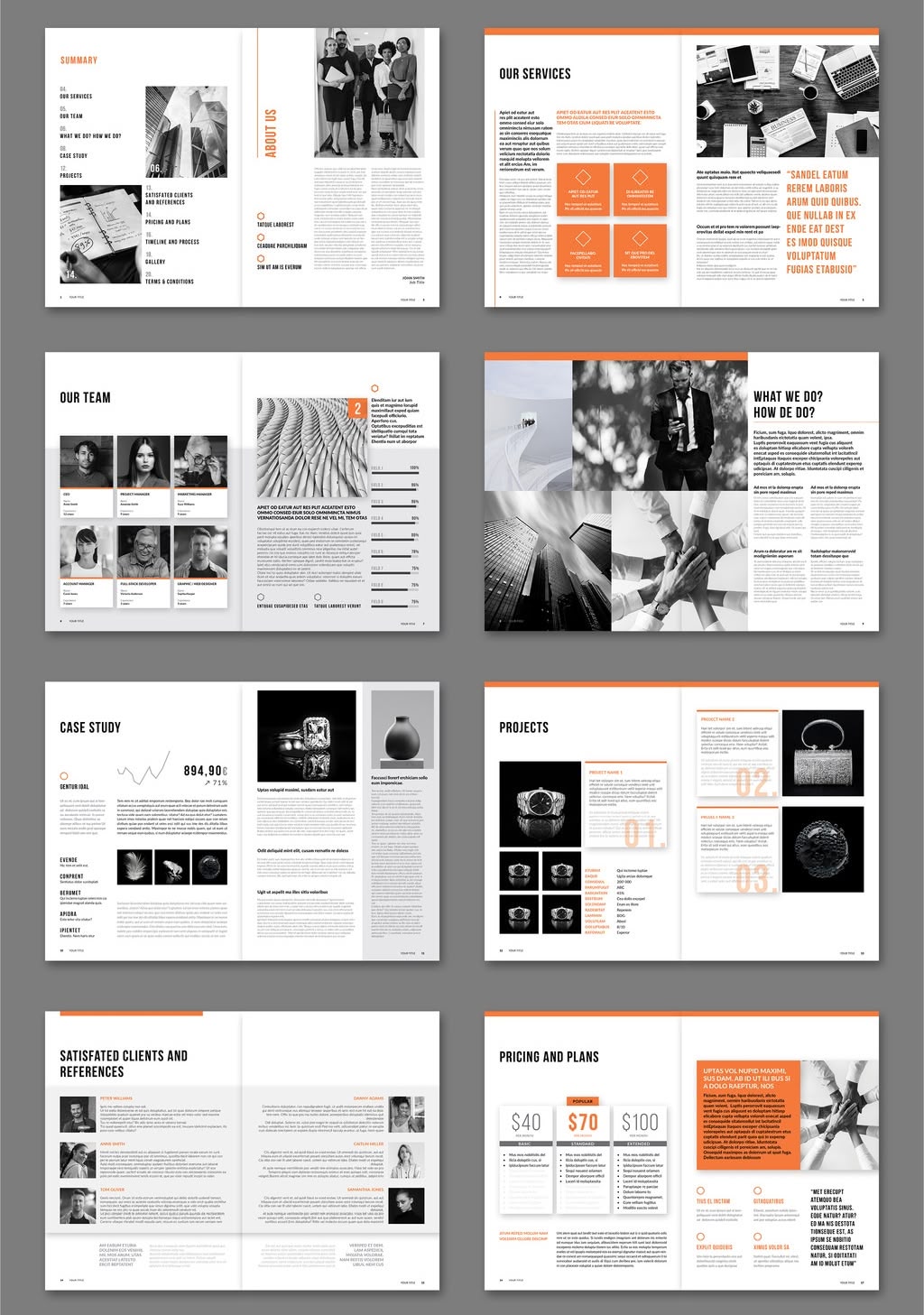
Orange does all the talking here: tabs, boxes, section numbers, a full-orange thank-you page and orange bars across the timeline, all set against white pages and black-and-white photography. The pages are already built for a summary, services, team, a what-we-do spread, a case study, a projects gallery, client references, a three-tier price table, a week-by-week timeline and terms & conditions. Adobe lists it as 24 pages, A4, CMYK; the photos in the preview are for display only and are not included in the download.
41. Lemonade Yellow Accents Template
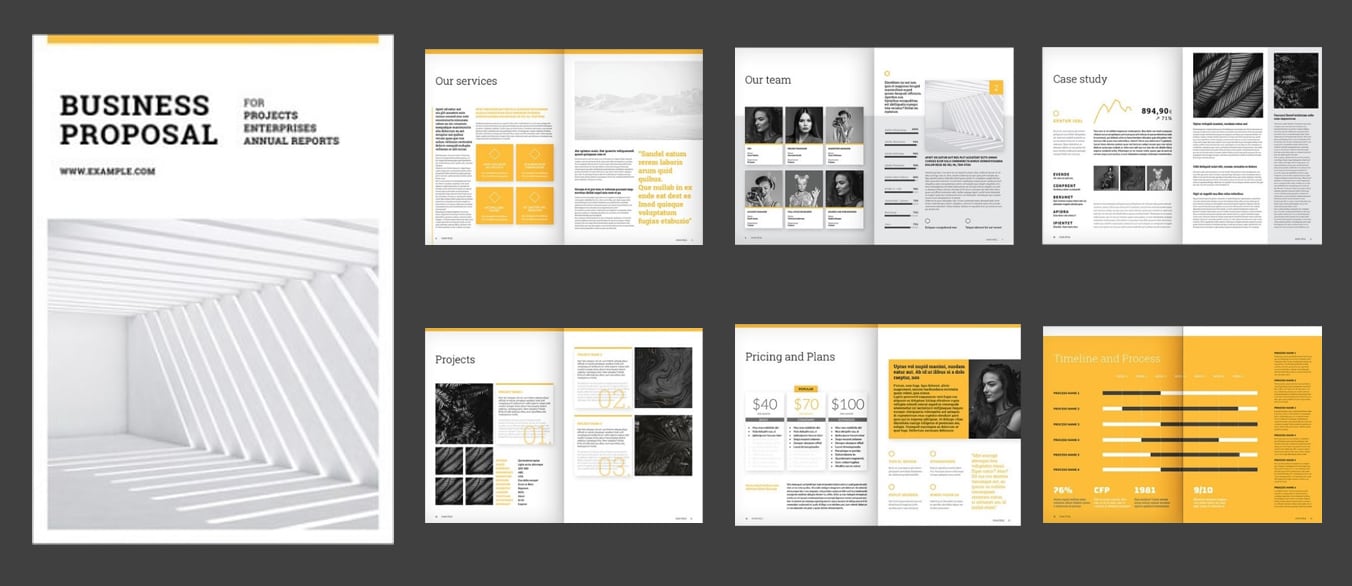
When in doubt, you can never go wrong by choosing a proposal template with sweet and luscious colors like this. This template, in particular, has dominant fresh yellow hues, elegant typography, and graceful overall appeal.
42. White Proposal with Yellow and Grey Details
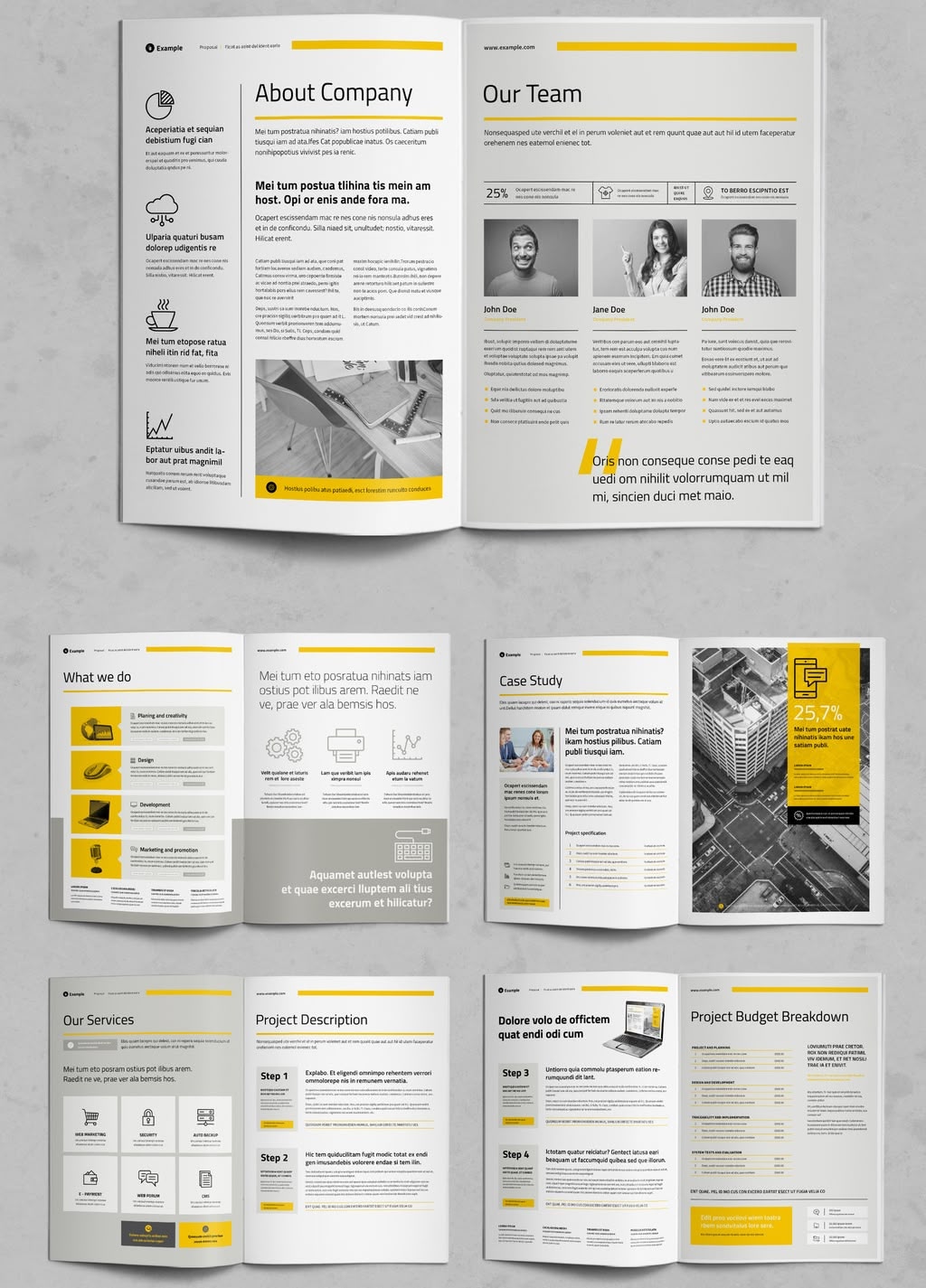
White pages, thin yellow rules and bright yellow blocks marking every heading - the layout leaves plenty of room for descriptive text and keeps photos in small grey-toned frames. Sections are already laid out for About Company, Our Team, What We Do, Case Study, Our Services, Project Description, Project Budget Breakdown, Our Offer, Project Timeline, Portfolio, Terms & Condition, Our Clients, Acceptance of Proposal and Project Invoice. Adobe describes it as a business proposal layout with accents of yellow and light grey, 20 pages in A4 and US Letter, CMYK; the preview photos are for display only and are not included in the download.
43. Template with Paintbrush Texture

It's never too late to try various color combinations. Look, this template has subtly matched purple, orange and grey in a single combination! Colorful and brilliance, this proposal template will definitely fulfill your need.
44. Shades of Blue

Wanted to take your business proposal to another extent? Select this template with a refined appearance, the elements colored in unique shades of blue add a dose of royal sense.
45. Red Accent Proposal with Plus-Sign Details
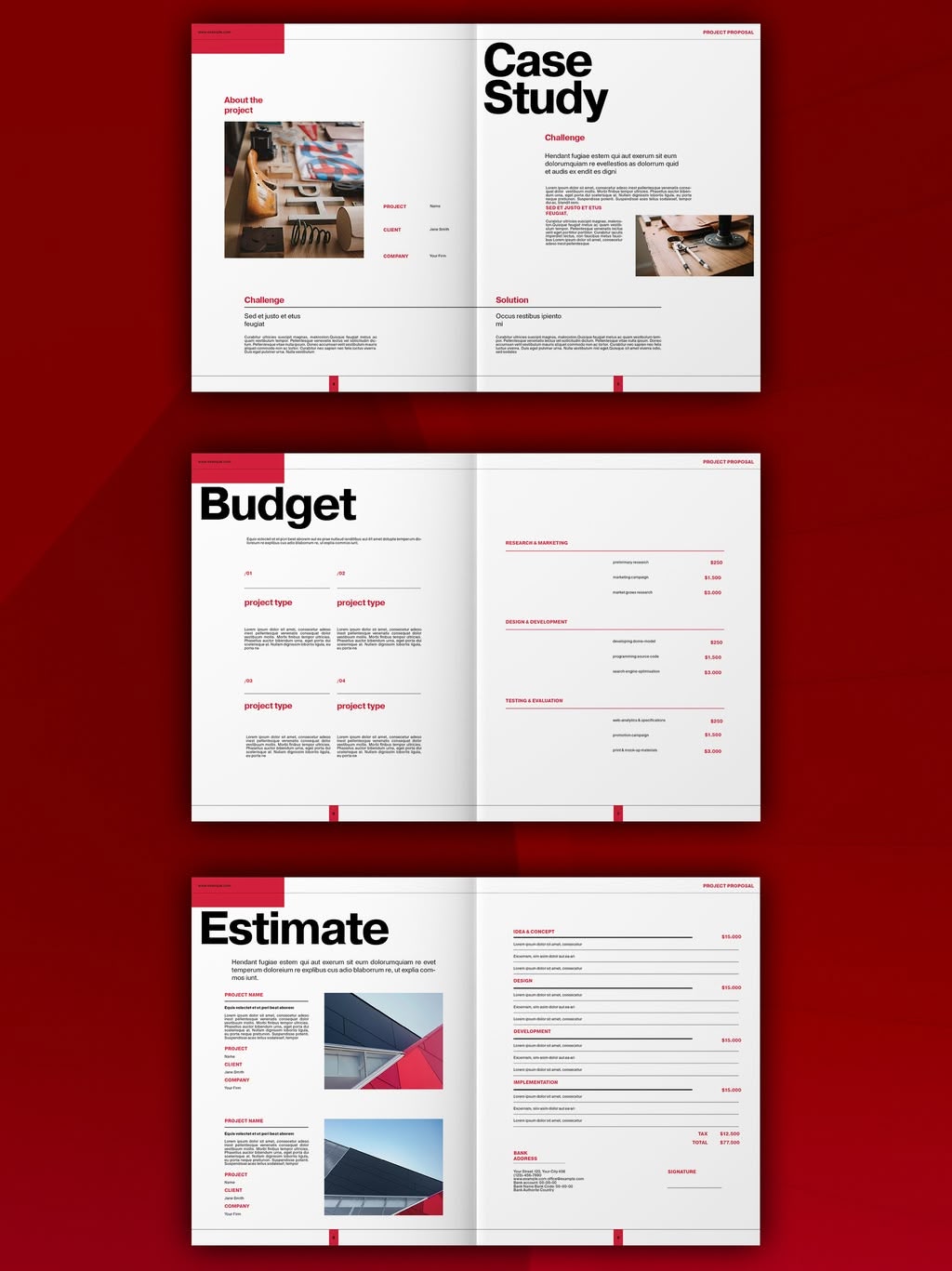
Small red plus signs mark the cover and the notes inside, and a red tab runs down the edge of every page - a traditional structure with one creative detail holding it together. The content is easy to follow: About Us with numbered 01/02/03 points, an Intro with a founder's statement, a Case Study split into challenge and solution, a Budget page grouped by workstream, an Estimate page with totals and a signature line, and a week-by-week Timeline grid. Adobe lists it as 12 pages, US Letter, CMYK; the sample text and preview photos are for display only and are not included in the download.
Minimal InDesign Proposal Templates
46. Yellow Simple Business Proposal
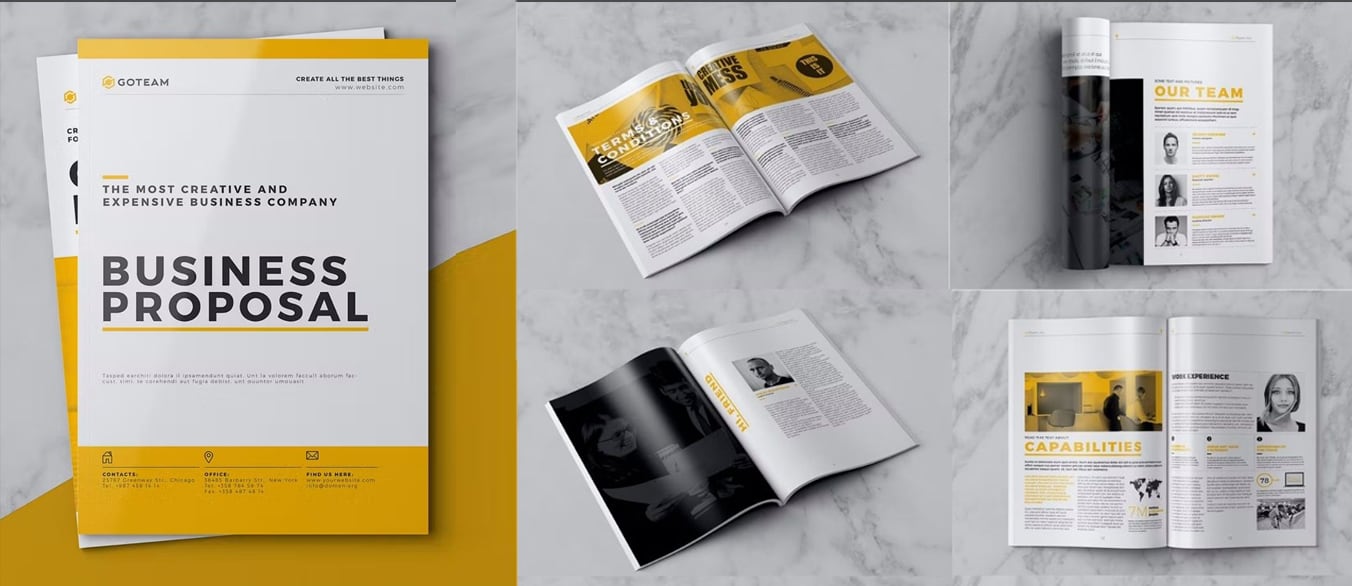
Promoting your personal works, business or company using this clean proposal template. The headings are decorated in yellow accents. Moreover, the layout and picture placement are very flexible, easy to edit and print ready.
47. Proposal with Blue and Black Accents

Want to keep things strictly professional? This proposal template is using the colors of refreshing blue and charcoal black to create a minimalist and modern feel. It suits company or any personal project purpose.
48. Classy and Impressive

This is the most impressive design template in this list so far! This template features the classic style with the black, white and grey color palette. Feel free to use it as a brochure, proposal or a lookbook template.
49. Baby Blue Cute Proposal Template

Baby blue, a pale shade of blue in this template really creates a sense of relaxation, tranquility and calm to the readers. The layout is ideally balanced and will make your content look great.
50. Combination of Creativity and Professionalism

This template reinvents your proposal by integrating attractive design and business professionalism. Its clean layout and rich design allow you to fit in a large amount of content without sacrificing quality or readability.
51. Minimalist Pure White Proposal

Just like pure snow, fluffy cotton and elegant swan, this template is the perfect pick for those minimalists. Whatever pictures and texts will certainly stand out with the foil of this clean white background.
52. The Luminous Proposal Layout

Dare to be bold to choose this dynamic and luminous template. It has a combination of black and yellow, unique typography, a variety of useful icons and can be easily modified to fit everyone's needs.
53. Less Is More

This template is the perfect example of the 'less is more' principle. By substituting your headings and content into this template, you'll get a clean project proposal that's much more neatly.
54. Proposal Template In Subtle Colors

Check out this project proposal template if you want to showcase your work in a formal way! It has the just right balance between subtle colors, standard outlines, and typography which radiates with simplicity.
55. Clean Design Blue Business Proposal
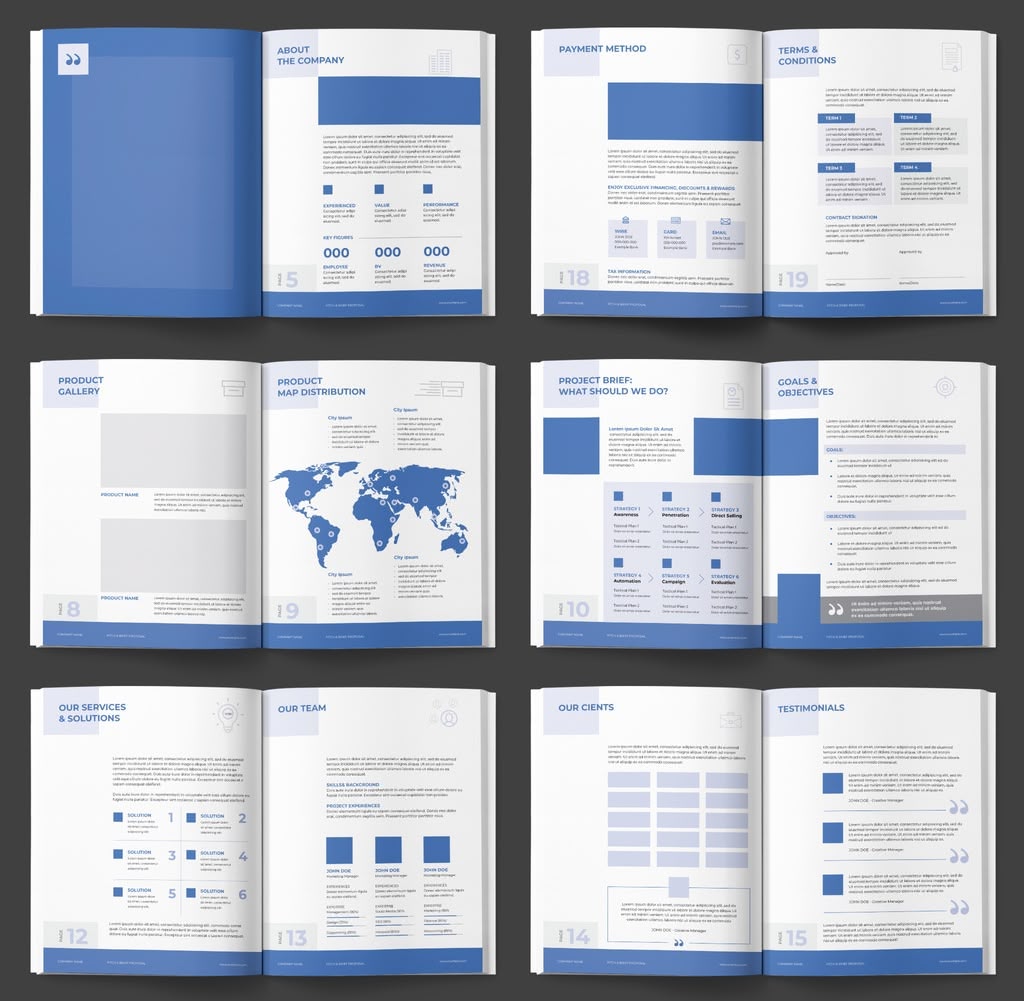
Blue and nothing else: mid-blue blocks, pale blue panels and plenty of white space carry every page, and even the cover photo is tinted the same blue so the booklet stays consistent from front to back. Pages are prepared for contents, a director's letter, about the company, a product gallery and map distribution, project brief, goals & objectives, services & solutions, team, clients, testimonials, service packages, campaign timeline, payment method and terms & conditions. Adobe lists it as 20 pages, US Letter, CMYK, with your own text and images to add; the preview photos are for display only and are not included in the download.
56. White and Black Elements

Showcase your works regarding to fashion, photography, food, lifestyle or architecture segments with the aid of this trendy template! There are numerous spots reserved for the pictures to support your words.
57. Proposal Layout with Deep Color
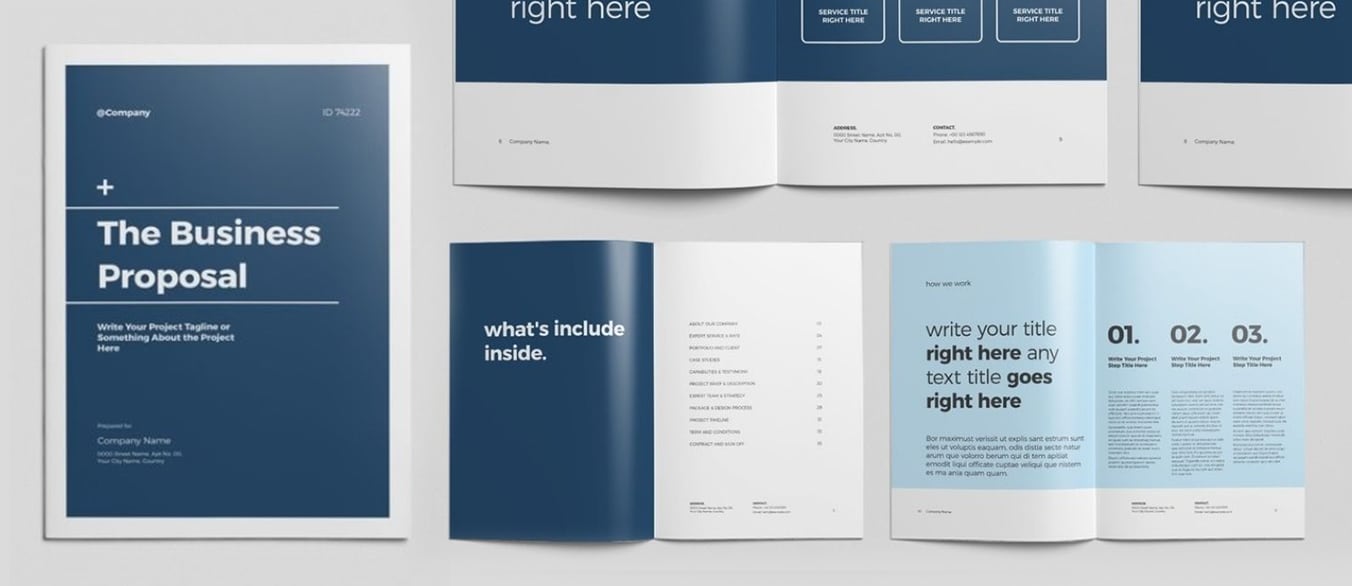
Falling in love with this oxford blue coupled with white colored template. The dark tone of azure has visually enhanced the quality on this template and gives it a stunning feel.
58. Minimalist Proposal with Grey Accents

Nowadays, minimalistic design has become a prevailing trend among population. The main purpose of minimalistic design is its functionality and well-optimized visuals, making audience easier to focus on the content instead of the decorative elements.
59. Proposal Layout with Square Elements

As you can see, this is a single-fold business project proposal accompanied with a clear-cut layout. This template applies plenty of square elements in yellow and grey accents to allow the entire design to seem consistent.
60. Proposal Layout with Geometric Elements

Just adding in some geometric elements once in a while can also bring in some variety to an otherwise standard business proposal. Look, this radiant yellow elements and the delicate layout are mutually enrich each other.
61. Simple yet Imaginative

It's extremely rare to have a proposal template as creative as this one. The little ingenuity of this template is that the images you've placed will span across a two-page spread, thereby making the template full of sense of design.
62. Minimal Creative Project Proposal

It doesn't hurt to go above and beyond once in a while. Jazz up your project proposal template with some extra fancy designs. For instance, stone elements design used in this template really gives it an elegant feel.
63. Proposal Template In Peacock Blue

Dare to be extraordinary and choose this template with distinctive color and design. The combination of peacock blue accents and geometric triangle designs make this project proposal more engaging.
64. Black Gradient Proposal Template

If you are a big fan for classical design then this would be your cup of tea! This template is using black gradient paired with plain white color scheme across the entire proposal that you would definitely love it.
65. Business Proposal Layout with Teal Accents
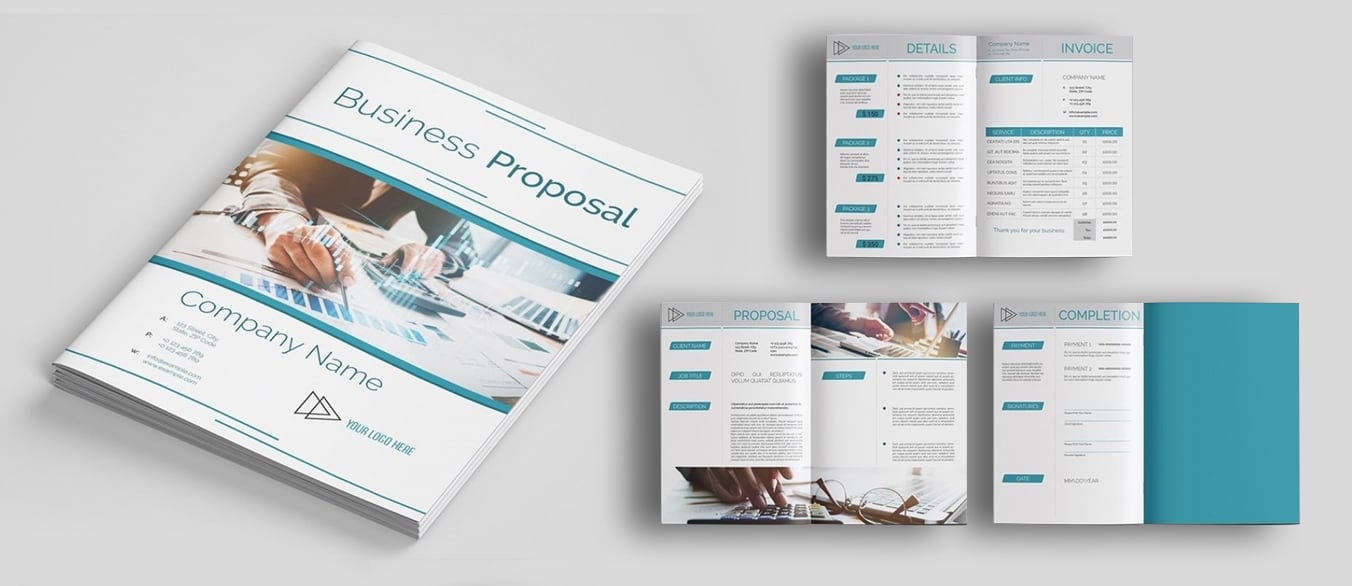
Looking at this template with teal color accents reminds me of the summer season. The content layout is distributed into left and right side and the subheadings are placed in parallelogram shapes for a better reading experience.
How to pick a proposal template you can actually use
Pick the template that fits the proposal you have to send, not only the cover that looks best in the preview. Five things decide whether a layout will work for you once it is open on your screen.
- Page size. A4 is 210 × 297 mm, US Letter is 216 × 279 mm (ANSI has the full comparison). A US client's printer expects Letter, a European one expects A4, and changing the size after the layout is built wrecks margins and line breaks. Check what the template ships with.
- The files you get. INDD is a normal working document. INDT opens as a new untitled copy, so the original template stays untouched. IDML is the one to look for when you are on an older InDesign version, since that is the format an older release can still open. Adobe's format reference covers what opens where.
- Fonts. Template files rarely include the font files themselves. Find out whether the typefaces can be activated through Adobe Fonts. If they cannot, you will be substituting fonts and re-flowing text on every page before you write a word.
- The licence. On Envato Elements, a download creates a licence for one specific project, and using the same template for a second project needs a new licence while your subscription is active (the licence terms spell this out). Adobe Stock items are licensed per download under the terms shown on the asset page. Read whichever applies before you commit the layout to a client.
- Page count. A one-page fee quote and a twelve-page pitch with phases, milestones, and terms are different documents. Starting from a template that is roughly the right length saves more time than restyling one that is not.
Marketplaces retire items now and then. If a template you liked no longer opens, use the search bar near the top of this page to look for something close to it.
What to put in the proposal itself
The layout is the easy half. For the content, AIGA, the professional body for graphic designers, publishes a structure that most client proposals still follow:
- An overview of the client's situation: their industry, their audience, the challenge in front of them.
- The scope of work and the specific objectives for this project.
- The process you recommend, phase by phase: steps, deliverables, milestones, how many creative directions you will show, how many revisions are included, the delivery format, and the fees for that phase.
- A recap of the total timeframe, total fees, total expenses, and any applicable taxes.
- A billing plan, which is simply a list of invoice amounts and when they land.
- Terms and conditions, two signature lines (submitted by, accepted by), and how long the unsigned offer stays valid.
Two points from that guidance are worth stealing. AIGA treats the proposal as a discussion document that becomes your contract for the project once it is signed, and it recommends presenting it in person whenever you can. Write the cover letter last, and keep it short.
Frequently asked questions
Are the five templates in the free section actually free?
Yes. We checked all five in August 2026, and they download at no cost. Free covers the download, not everything you do afterwards. Each one's Adobe Stock page carries its licence, and that licence decides whether the layout can go into a proposal you are paid for. Read the licence on the product page before you send the proposal to a client.
Can I use these templates for paid client work?
Usually yes, but the terms differ by marketplace. An Envato Elements download creates a licence for one specific project, so a second client proposal needs a new licence, and your subscription has to be active when you use the item. Envato is also explicit that you cannot resell or redistribute the item itself. Adobe Stock items are licensed per download under the terms printed on the asset page.
Which file format do I need: INDD, INDT, or IDML?
INDT is the most comfortable one to work from, because it opens as a new untitled document and leaves the original template intact. INDD is a normal InDesign document. IDML matters when you are on an older InDesign version, since that is the format an older release can still open. Confirm the supported version on the product page.
Conclusion
You've reached the bottom of our proposal templates list. Thank you for reading through!
We did our best to find templates with versatile styles and colours so we hope you've found what you were looking for.
If you are looking into creating another type of InDesign document, head to our InDesign templates page, or start with our roundups of InDesign brochure templates and InDesign magazine templates.
All the best,
Stefano