
Redokun : l’alternative à Phrase TMS pour les équipes marketing des fabricants
Phrase est une plateforme linguistique d’entreprise pour les équipes de localisation et les prestataires de services linguistiques, avec des produits distincts pour les documents, les logiciels et les médias. Redokun fait une seule chose : il traduit tes catalogues, fiches techniques et brochures avec tes propres traducteurs, et te rend le fichier dans le même format.
Tu traduis quelques fois par an ? Project Pass : un projet, un prix.
Tu traduis régulièrement ? L’offre Workspace Plan.
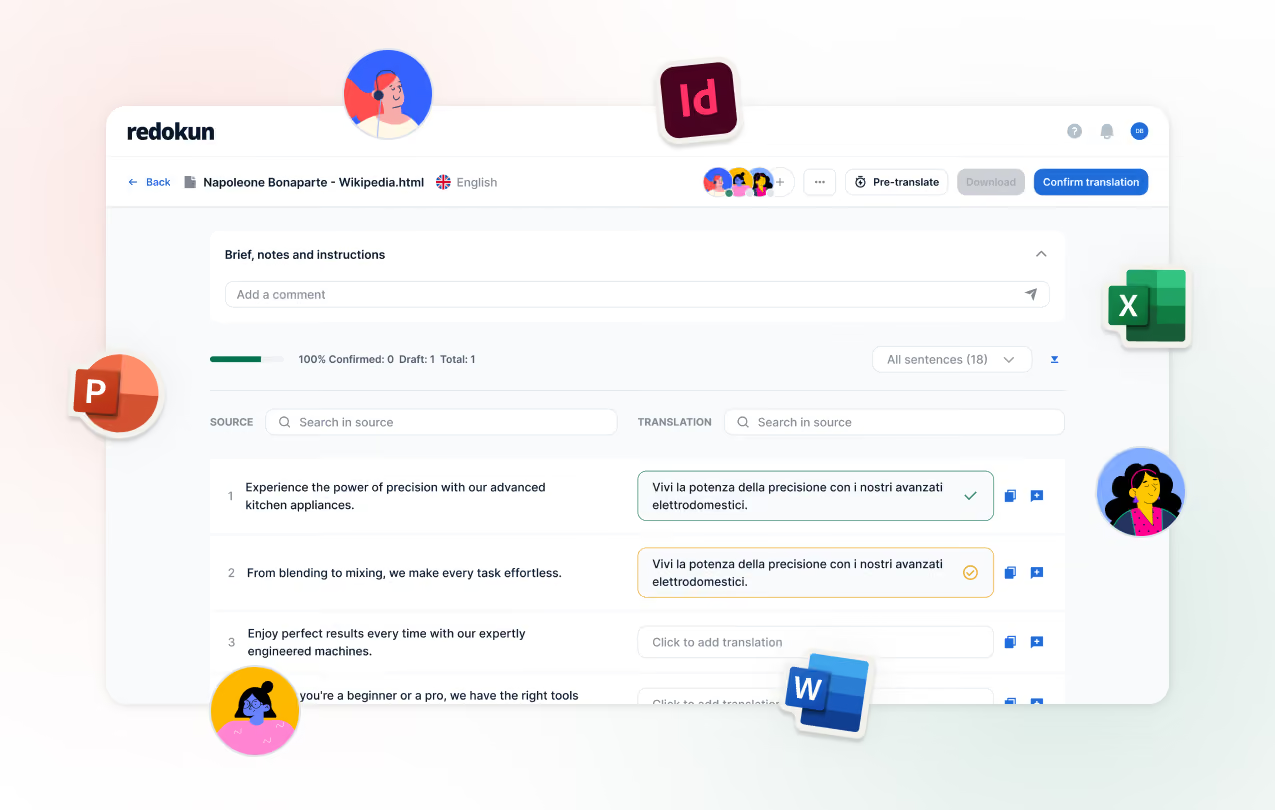


Quel outil convient à ton équipe
Les deux outils traduisent les fichiers InDesign, Word, PowerPoint et Excel. Ils sont conçus pour des équipes différentes.
PHRASE est plus adapté si tu :
Redokun est plus adapté si tu :
Redokun vs Phrase : comparaison des fonctionnalités
Redokun
PHRASE
Conçu pour
Équipes marketing chez les fabricants qui traduisent des documents
Équipes de localisation et prestataires de services linguistiques
Ce que tu achètes
Un produit pour la traduction de documents
Une plateforme de produits : TMS, Strings, Orchestrator, Language AI, et plus encore
InDesign

.idml, mise en page préservée · Adobe Technology Partner
.idml, avec des options d’importation détaillées et un aperçu contextuel
Traduction par IA
DeepL, Google Translate et ChatGPT inclus
Phrase Language AI, avec des profils de traduction automatique personnalisables et des glossaires
Qui traduit
Tes propres traducteurs, distributeurs ou agence.
Nombre illimité d’utilisateurs TMS dans les offres pour entreprises, avec gestion des prestataires
Intégrations
Via des fichiers : importation et téléchargement
Figma, Slack, WordPress et dépôts de code. AEM et Contentful dans les offres supérieures
Comment commencer
Inscris-toi pour un essai gratuit de 14 jours et commence le jour même
Les offres pour entreprises commencent par un échange commercial
Projet ponctuel, sans
abonnement
Project Pass

Non proposé pour les entreprises
Facturation
Mensuelle ou annuelle avec 2 mois offerts
Facturation annuelle
Là où Phrase a l’avantage : large couverture des logiciels, du web et des médias ; intégrations ; automatisation des processus de travail ; gestion des prestataires ; et un grand nombre de traducteurs qui l’utilisent déjà.
Redokun est conçu pour une équipe marketing qui traduit des documents sans département de localisation. Voir tous les tarifs

Phrase est conçu pour un département de localisation. La plupart des équipes marketing des fabricants n’en ont pas.
Phrase offre beaucoup de possibilités à une équipe de localisation : des produits distincts pour les documents et les chaînes de texte de logiciels, l’automatisation des processus de travail, la gestion des prestataires et la notation de la qualité. Quelqu’un doit le configurer et le gérer. Un responsable marketing chez un fabricant de taille moyenne gère généralement la traduction en plus de tout le reste :
Une mise à jour du catalogue doit être faite avant un salon. Tu dois importer le fichier cette semaine, pas après un cycle d’achat.
Tes traducteurs sont un freelance, un chef de produit chez un distributeur et une agence. Ils ont besoin d’un lien vers le document, pas d’une plateforme dont il faut apprendre le fonctionnement.
Les traductions arrivent par vagues. Un catalogue au printemps, une série de fiches techniques à l’automne. Un contrat annuel calibré pour une équipe de localisation ne correspond pas à ce besoin.
Redokun est fait pour ce genre de situation. Importe le fichier, invite tes traducteurs et télécharge le document finalisé.

Passer de Phrase à Redokun

Importe ta mémoire de traduction

Importe ta terminologie

Importe tes fichiers source.

Invite des traducteurs et lance la pré-traduction

Ce qui change quand tu traduis dans Redokun
Tu peux commencer cet après-midi
Crée un compte, importe un document et invite ton premier traducteur. Pas d’appel commercial, pas de programme d’onboarding, rien à installer.
Lance ta période d’essai gratuite de 14 jours maintenant
Tes traducteurs travaillent dans un seul éditeur que tu peux consulter
Invite un freelance, un distributeur ou une agence par email. Ils traduisent dans le navigateur, et tu vois l’avancement par document et par langue. Si une agence préfère ses propres outils, exporte les phrases et réimporte son travail.
Lance ton premier projet aujourd’hui
Quand une spécification change, les traducteurs ne voient que ce qui a changé
Importe le document révisé. Quick Revisions reprend tous les segments validés dans toutes les langues : tes traducteurs ne traitent donc que le texte nouveau ou modifié.
Découvre le fonctionnement de Quick Revisions
%20(1).png)


FAQ


Oui. Exporte ta mémoire de traduction depuis Phrase TMS au format TMX et importe-la dans Redokun.
Les deux outils traduisent les fichiers .idml et les rendent avec la mise en page intacte. Redokun a été fondé par un expert InDesign et est un Adobe Technology Partner. La différence entre les deux tient moins à la prise en charge d’InDesign qu’au public pour lequel chaque outil a été conçu.
Non. Redokun est conçu pour les équipes marketing qui gèrent la traduction en plus de leurs autres tâches. Tu importes un fichier, tu invites tes traducteurs par e-mail et tu télécharges le document traduit.
Si tu as un projet maintenant, achète Project Pass et importe tes fichiers le jour même. Pour traduire dans la durée, crée un compte gratuit et commence ton essai de 14 jours de l’offre Workspace Plan.