
Redokun: l’alternativa a Phrase TMS per i team marketing delle aziende manifatturiere

Phrase è una piattaforma linguistica aziendale per team di localizzazione e fornitori di servizi linguistici, con prodotti separati per documenti, software e media. Redokun fa una cosa sola: traduce i tuoi cataloghi, le tue schede tecniche e le tue brochure con i tuoi traduttori e ti restituisce il file nello stesso formato.
Traduci poche volte all’anno? Project Pass: un progetto, un prezzo.
Traduci regolarmente? Il Workspace Plan.


Quale strumento è adatto al tuo team
Entrambi gli strumenti traducono file InDesign, Word, PowerPoint ed Excel. Sono pensati per team diversi.
PHRASE è più adatto se:
Redokun è più adatto se:
Redokun vs Phrase: confronto delle funzionalità
Redokun
PHRASE
Pensato per
Team marketing di aziende manifatturiere che traducono documenti
Team di localizzazione e fornitori di servizi linguistici
Cosa acquisti
Un prodotto per la traduzione di documenti
Una piattaforma di prodotti: TMS, Strings, Orchestrator, Language AI e altro ancora
InDesign

.idml, impaginazione preservata · Adobe Technology Partner
.idml, con opzioni di importazione dettagliate e anteprima contestuale
Traduzione con l'IA
DeepL, Google Translate e ChatGPT inclusi
Phrase Language AI, con profili MT personalizzabili e glossari
Chi traduce
I tuoi traduttori, i tuoi distributori o la tua agenzia.
Accessi TMS illimitati nei piani business, con gestione dei fornitori
Integrazioni
Tramite file: caricamento e download
Figma, Slack, WordPress e repository di codice. AEM e Contentful nei piani superiori
Come iniziare
Registrati per una prova gratuita di 14 giorni e inizia lo stesso giorno
I piani business iniziano con una conversazione commerciale
Progetto singolo, nessun
abbonamento
Project Pass

Non disponibile per le aziende
Fatturazione
Mensile, oppure annuale con un risparmio del 15%
Fatturato annualmente
Dove Phrase è più forte: ampiezza dell’offerta per software, web e media; integrazioni; automazione del flusso di lavoro; gestione dei fornitori; e un ampio bacino di traduttori che lo usano già.
Redokun è pensato per un team marketing che traduce documenti senza un reparto di localizzazione. Vedi tutti i prezzi

Phrase è pensato per un reparto di localizzazione. La maggior parte dei team marketing delle aziende manifatturiere non ne ha uno.
Phrase offre a un team di localizzazione tanti strumenti: prodotti separati per documenti e stringhe software, automazione del flusso di lavoro, gestione dei fornitori e valutazione della qualità. Qualcuno deve configurarlo e gestirlo. Un responsabile marketing in un’azienda manifatturiera di medie dimensioni di solito si occupa anche delle traduzioni, oltre a tutto il resto:
Un aggiornamento del catalogo deve essere pronto prima di una fiera. Devi caricare il file questa settimana, non dopo un ciclo di acquisto.
I tuoi traduttori sono un freelance, un product manager di un distributore e un’agenzia. Hanno bisogno di un link al documento, non di una piattaforma da imparare a usare.
Le traduzioni arrivano a ondate. Un catalogo in primavera, una serie di schede tecniche in autunno. Un contratto annuale dimensionato per un team di localizzazione non si adatta a questa situazione.
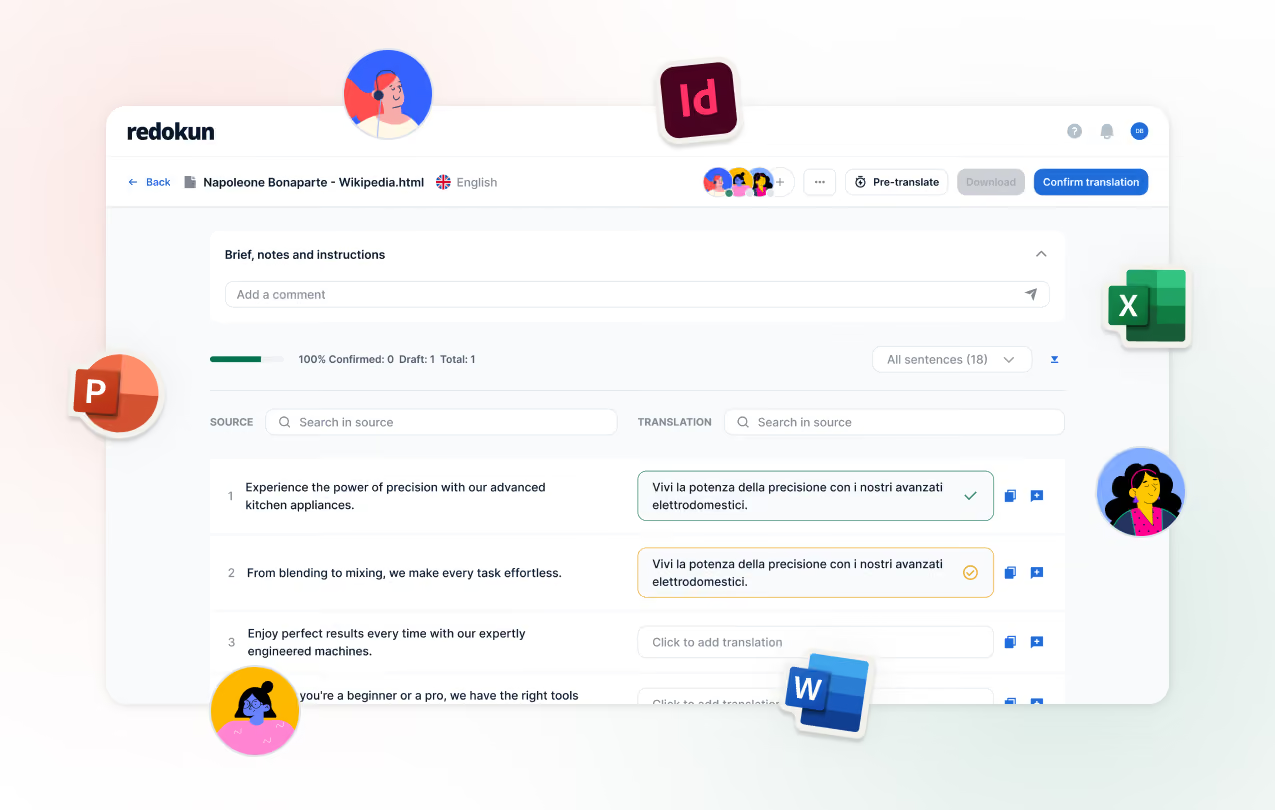
Redokun è pensato proprio per questa situazione. Carica il file, invita i tuoi traduttori e scarica il documento finito.

Passare da Phrase a Redokun

Porta la tua Memoria di traduzione

Porta la tua terminologia

Carica i tuoi file sorgente.

Invita i traduttori e avvia la Pre-traduzione

Cosa cambia quando traduci su Redokun
Puoi iniziare già questo pomeriggio
Crea un account, carica un documento e invita il tuo primo traduttore. Nessuna chiamata commerciale, nessun programma di onboarding e niente da installare.
Inizia ora la tua prova gratuita di 14 giorni
I tuoi traduttori lavorano in un unico editor, visibile anche a te
Invita un freelance, un distributore o un'agenzia via email. Traducono nel browser e tu vedi i progressi per documento e per lingua. Se un'agenzia preferisce i propri strumenti, esporta le frasi e reimporta il suo lavoro.
Inizia oggi il tuo primo progetto
Quando una specifica cambia, i traduttori vedono solo ciò che è cambiato
Carica il documento aggiornato. Revisioni rapide riporta ogni segmento confermato in ogni lingua, così i tuoi traduttori si occupano solo del testo nuovo o modificato.
Guarda come funzionano le Revisioni rapide
%20(1).png)


Domande frequenti


Sì. Esporta la tua Memoria di traduzione da Phrase TMS come file TMX e importala su Redokun.
Entrambi gli strumenti traducono i file .idml e li restituiscono con l’impaginazione intatta. Redokun è stato fondato da un esperto di InDesign ed è un Adobe Technology Partner. La differenza tra i due riguarda meno il supporto a InDesign e più i destinatari di ciascuno strumento.
No. Redokun è pensato per i team marketing che gestiscono le traduzioni insieme alle altre attività. Carichi un file, inviti i tuoi traduttori via email e scarichi il documento tradotto.
Se hai un progetto adesso, acquista Project Pass e carica i tuoi file lo stesso giorno. Per lavori continuativi, crea un account gratuito e inizia la tua prova di 14 giorni del Workspace Plan.